It took Logitech 30 Days to replace my faulty MX Master 4
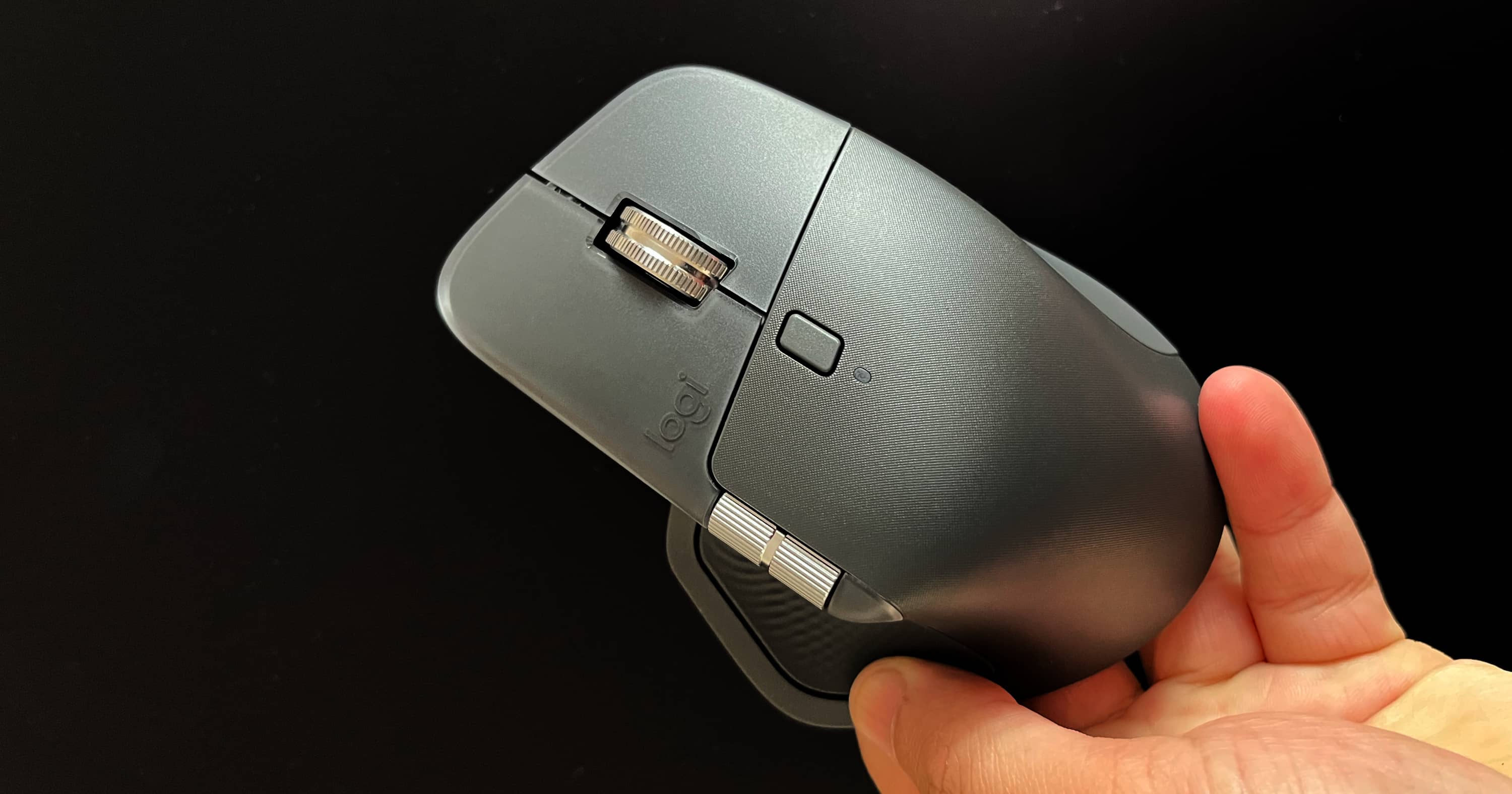
My Logitech MX Master 4 stopped working on September 30, 2026, just over 3 months after I received it. What followed was a 30-day warranty replacement process involving multiple support conversations, repeated follow-ups, an escalation, and eventually a replacement delivered on October 29, 2026.
The mouse was replaced, but the experience was far from smooth. My main frustration wasn't with the courier or shipping process. It was the time Logitech's customer support took to approve the replacement, combined with the lack of clear updates while I was waiting.
Here is what happened, based on my conversations, emails, and the records I kept throughout the process.
I'm sharing this experience to help anyone who might face a similar issue with a Logitech product under warranty. My aim is to give you a realistic understanding of the replacement process, the information and documentation you may need, the delays you could encounter, and what to expect from customer support. Your experience may differ, but knowing what happened in my case could help you prepare, follow up effectively, and avoid unnecessary uncertainty. 👍
A new MX Master 4 that failed after 3 months
I purchased the Logitech MX Master 4 from Amazon on June 19 2026, and it was delivered on June 21. As a Web Application Engineer, I use a mouse throughout my working day, so it is an important part of my setup.
On September 30, 2026, the mouse suddenly stopped working. I couldn't use it to control my mac, switch between paired connections (bluetooth or bolt), or establish a new bluetooth connection.
The mouse wasn't completely unresponsive electrically. Its top green status light and the white Easy-Switch indicator were blinking rapidly. However, it wasn't appearing in the Mac's Bluetooth device list, and pressing Easy-Switch wasn't allowing me to move between devices as it normally should.
Before approaching Logitech, I tried several basic troubleshooting steps:
- Turned the mouse off and back on.
- Tried connecting through Logi USB Bolt.
- Switched it off and left it charging for a while.
- Removed the existing Bluetooth pairing and tried pairing it again.
None of these attempts restored the connection. I couldn't establish the underlying hardware or firmware cause, but the mouse was unusable for my work. Given that I had received it only a little over 3 months earlier, I decided to contact Logitech and request a replacement under warranty.
September 30: My first conversation with Logitech Support
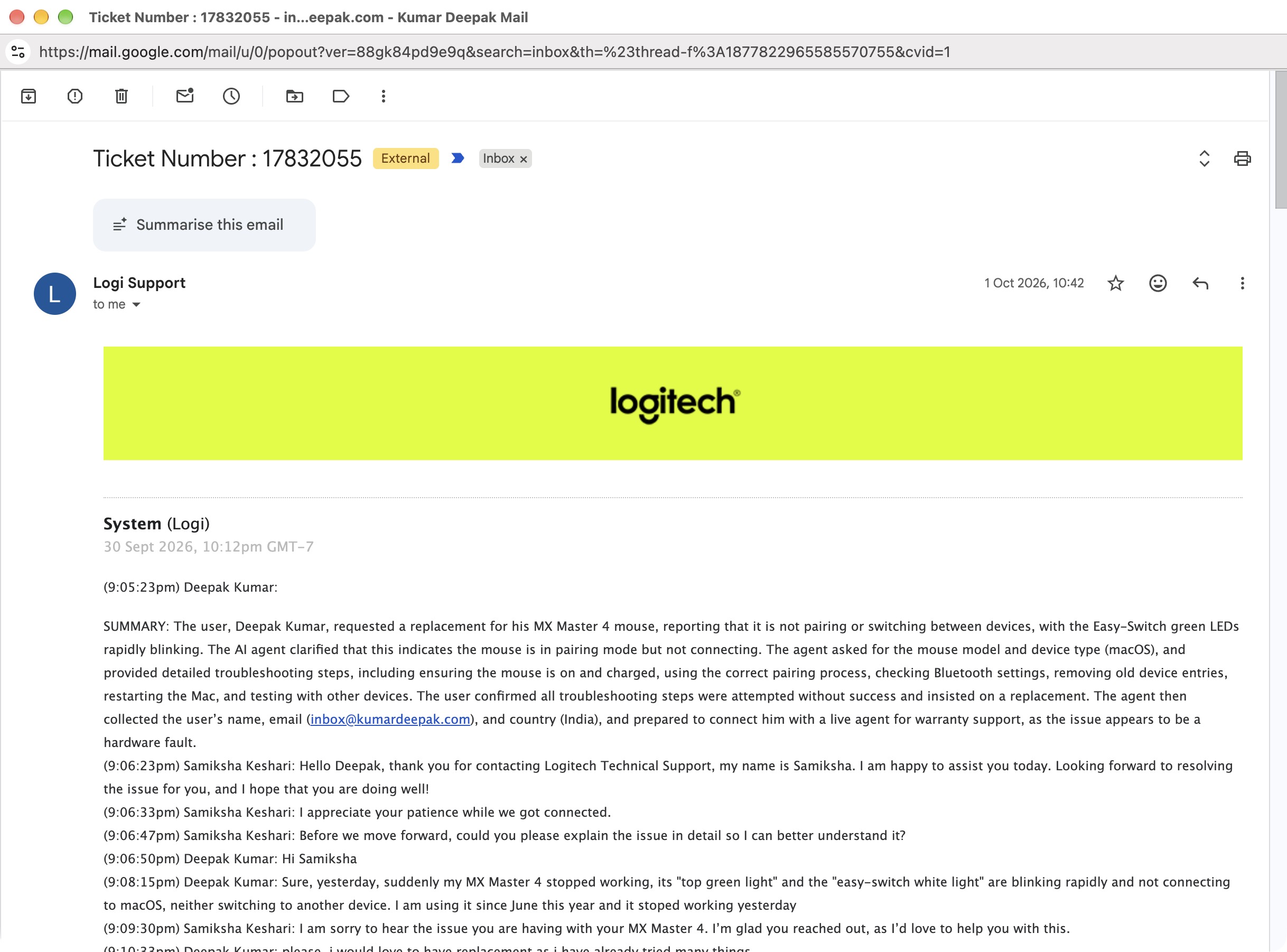
I contacted Logitech through its online support chat. After an initial interaction with its automated assistant, I was connected to a technical support representative, Samiksha Keshari.
I explained the failure, including the blinking indicator lights and inability to connect or switch devices. I also shared that I had already tried troubleshooting and was looking for a replacement.
The representative asked whether the problem had appeared after a firmware or system update. I couldn't identify any such update. I shared the version of Logi Options+ installed on my Mac and offered to provide video evidence.
I uploaded a video demonstrating the problem. Logitech then asked for the mouse's serial number and a copy of the purchase invoice, which I supplied.
From a service-centre visit to Direct Replacement Service
After reviewing my details, the representative initially suggested taking the mouse, its accessories, and the invoice to an authorized Logitech service centre for inspection.
I explained that I was in Shimla, Himachal Pradesh, and travelling to a service centre wasn't a practical or affordable option for me. I specifically requested Direct Replacement Service instead.
Samiksha confirmed that this alternative was available and told me that delivery could take approximately 7-14 days. I accepted the arrangement and made it clear that I expected a new replacement device rather than a used one.
The evidence Logitech required
Before processing the request, Logitech wanted a further video (specific one) showing the device's serial number together with a handwritten sheet containing the current date and ticket number.
I prepared the requested evidence, but the video wouldn't upload successfully through the chat interface. The representative suggested using Google Drive, making the video accessible through a shareable link, and sending that link. I followed those instructions and shared the video and additional photograph. The representative then confirmed that my details had been forwarded to the relevant team for validation.
My main support ticket was #17832055
By the end of this interaction, I had provided my invoice, serial number, photographs, videos, and the information required for the replacement request. What I still did not have was confirmation that the replacement had actually been approved. I was told I would receive further updates by email.
October 2 to October 14, 2026
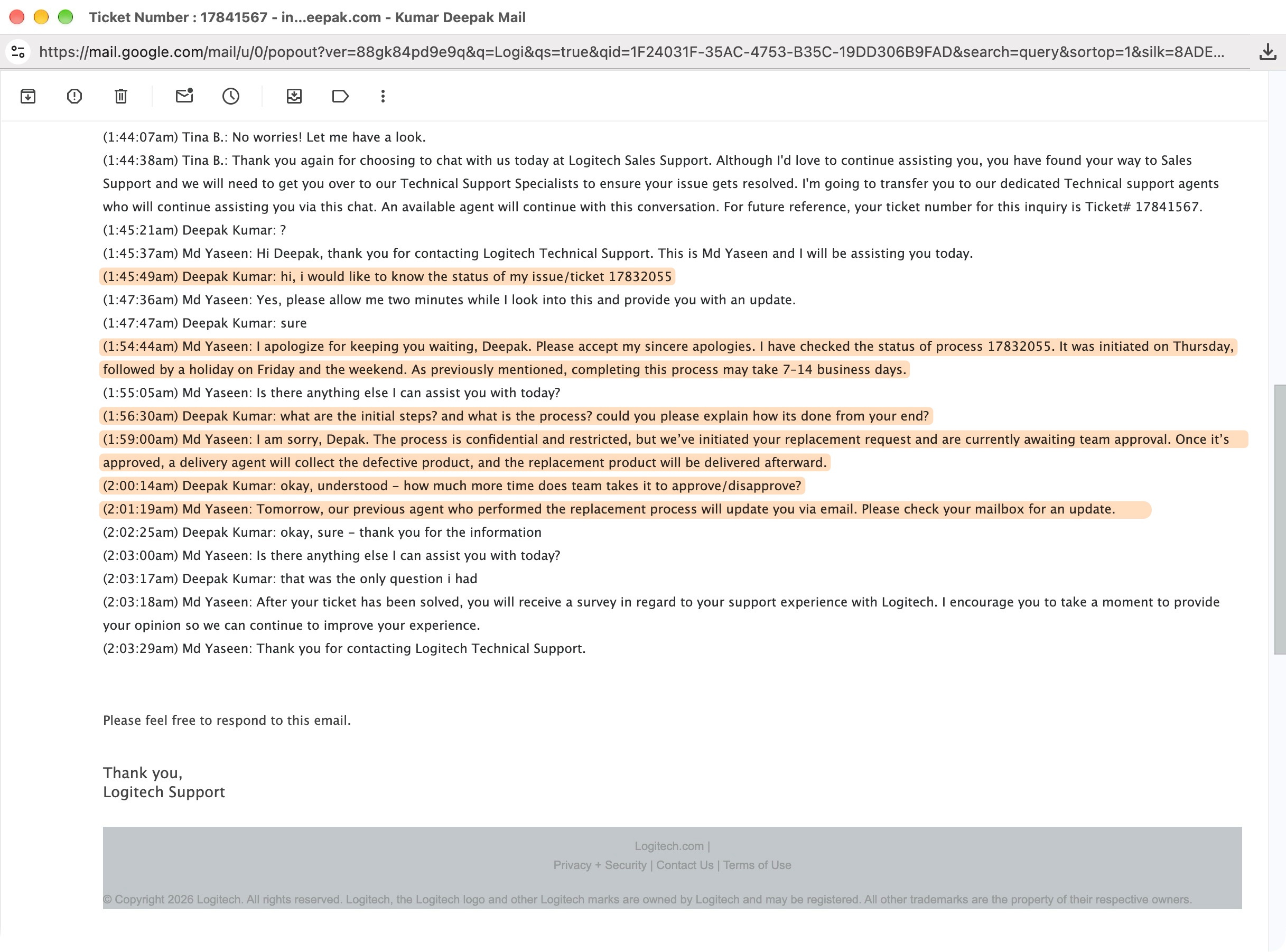
October 4: The replacement was still awaiting approval
On October 4, I returned to Logitech Support to find out what was happening with my request.
A technical support representative, Md Yaseen explained that the process could take 7-14 business days. When I asked what was happening internally and how long approval would take, he said the replacement request had been initiated and was awaiting team approval.
I was told the previous representative would update me by email the next day. At this point, I understood that my request had been submitted, but I still had no confirmed approval or pickup date.
October 6: An apology, but no concrete update
On October 6, I received an email from Samiksha acknowledging that there had been a delay.
She apologized for the inconvenience and said she would contact me once an update was available.
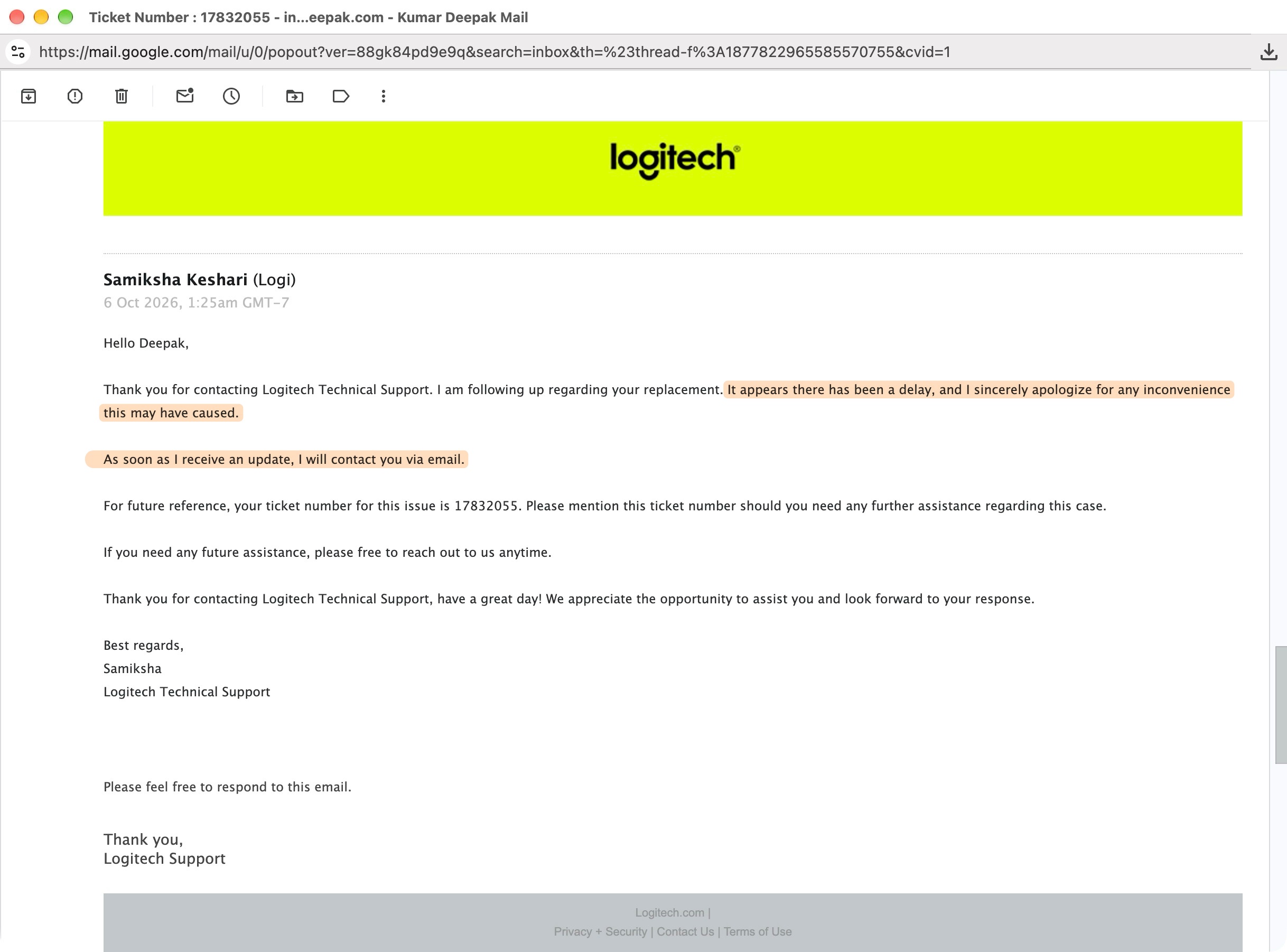
I appreciated the acknowledgment, but the email didn't explain the reason for the delay, identify what was holding up approval, or provide a definite timeline. There was still no confirmation of when the defective mouse would be collected or when I could expect a replacement.
October 9: Nine days without meaningful progress
By October 9, I was increasingly frustrated. 🤬
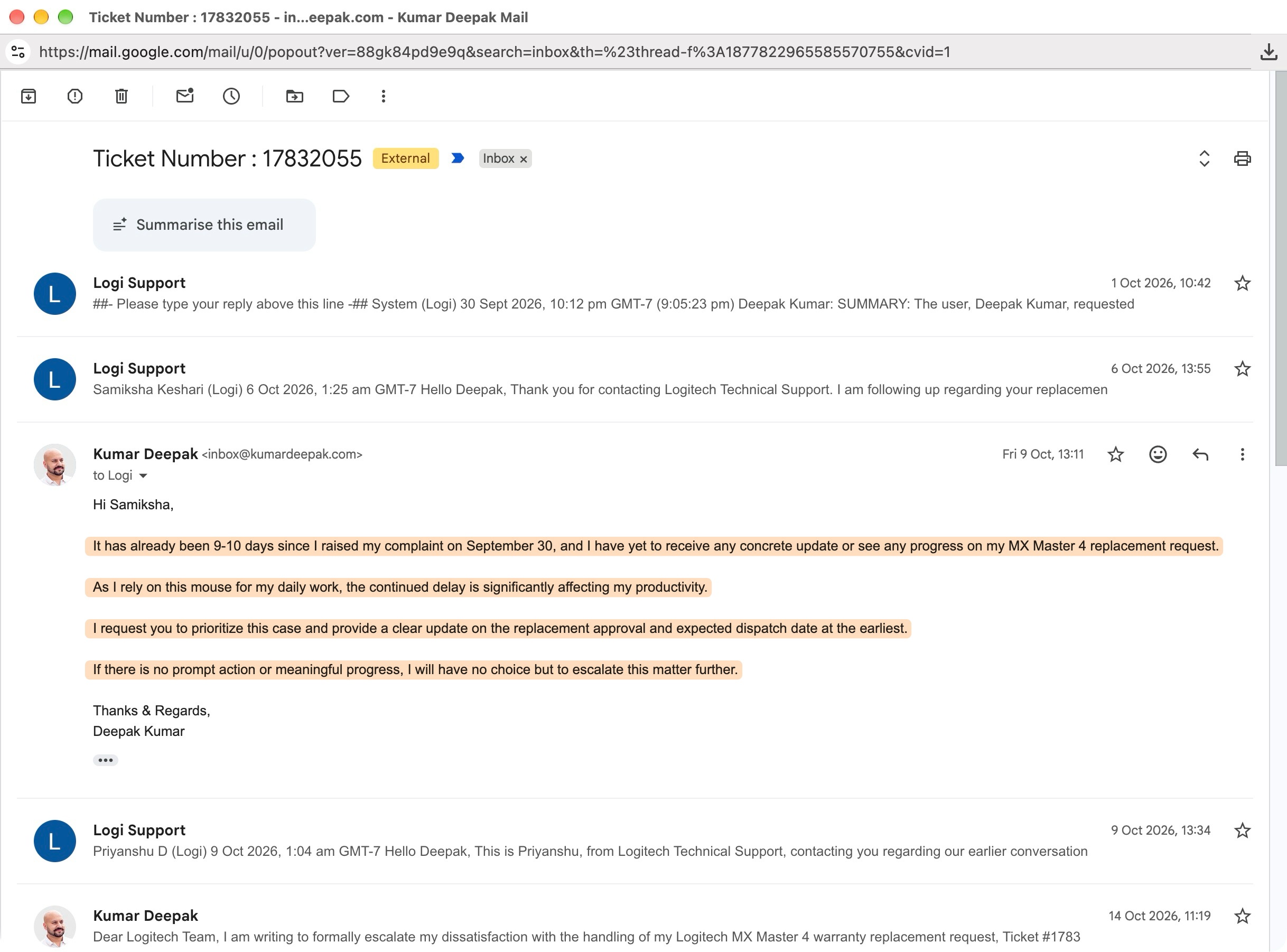
I sent follow-up emails explaining that the complaint had been open for around 9 days without a concrete update. I also made clear that I relied on the mouse for daily work and that the continued delay was affecting my productivity.
I also contacted Logitech through live chat again (i wasn't expecting a reply soon 😈). I was connected to Priyanshu from technical support. He confirmed that my details had been forwarded to the internal team and said he had escalated the issue. When I asked why a replacement approval was taking so long, he suggested that the MX Master 4's relatively recent launch could require additional processing time. (only at time of replacement, not at time of new purchase 😂)
I asked for a specific timeframe. He couldn't guarantee one but said I should receive an update within another 3-4 business days. That was a timeframe for an update, not a confirmed delivery date.
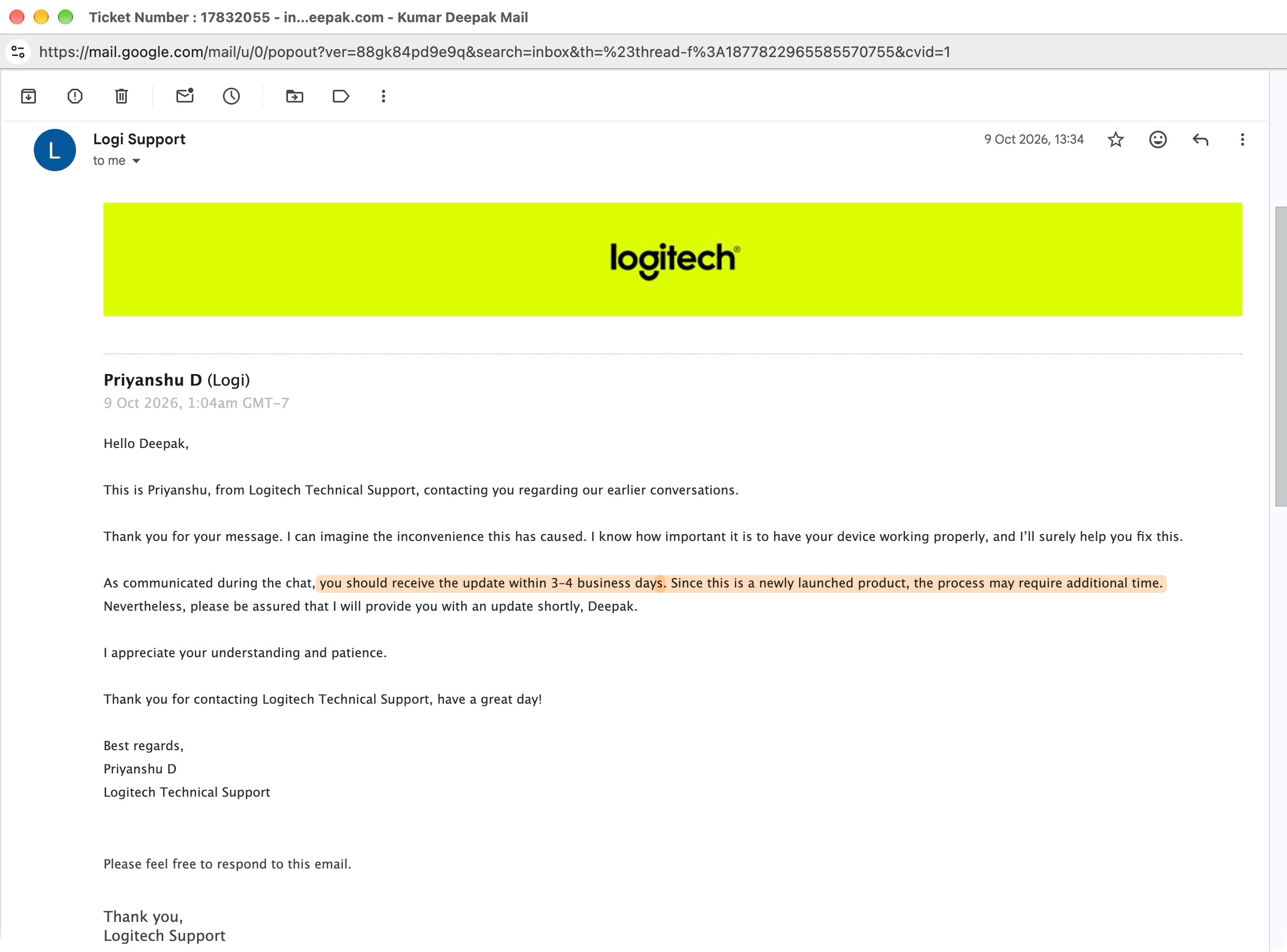
For me, this was the most frustrating part of the experience. Each conversation was polite, and the representatives generally acknowledged my concern. But I was repeatedly given assurances of future updates rather than a clear answer about the actual approval status. 😥
October 14: I formally escalated the complaint 😡
On October 14, two weeks after I had first raised the issue, I decided to escalate it formally.
I sent an email to Logitech Support and copied its India customer-experience management address.
My email summarized the original complaint, the documents and evidence I had provided, the earlier replacement estimate, and the lack of concrete progress.
I asked Logitech to answer three questions:
- Had the replacement been approved? If not, what was preventing approval?
- Had the replacement process actually started, and what was its current stage?
- When would the defective mouse be collected, and when could I expect the replacement?
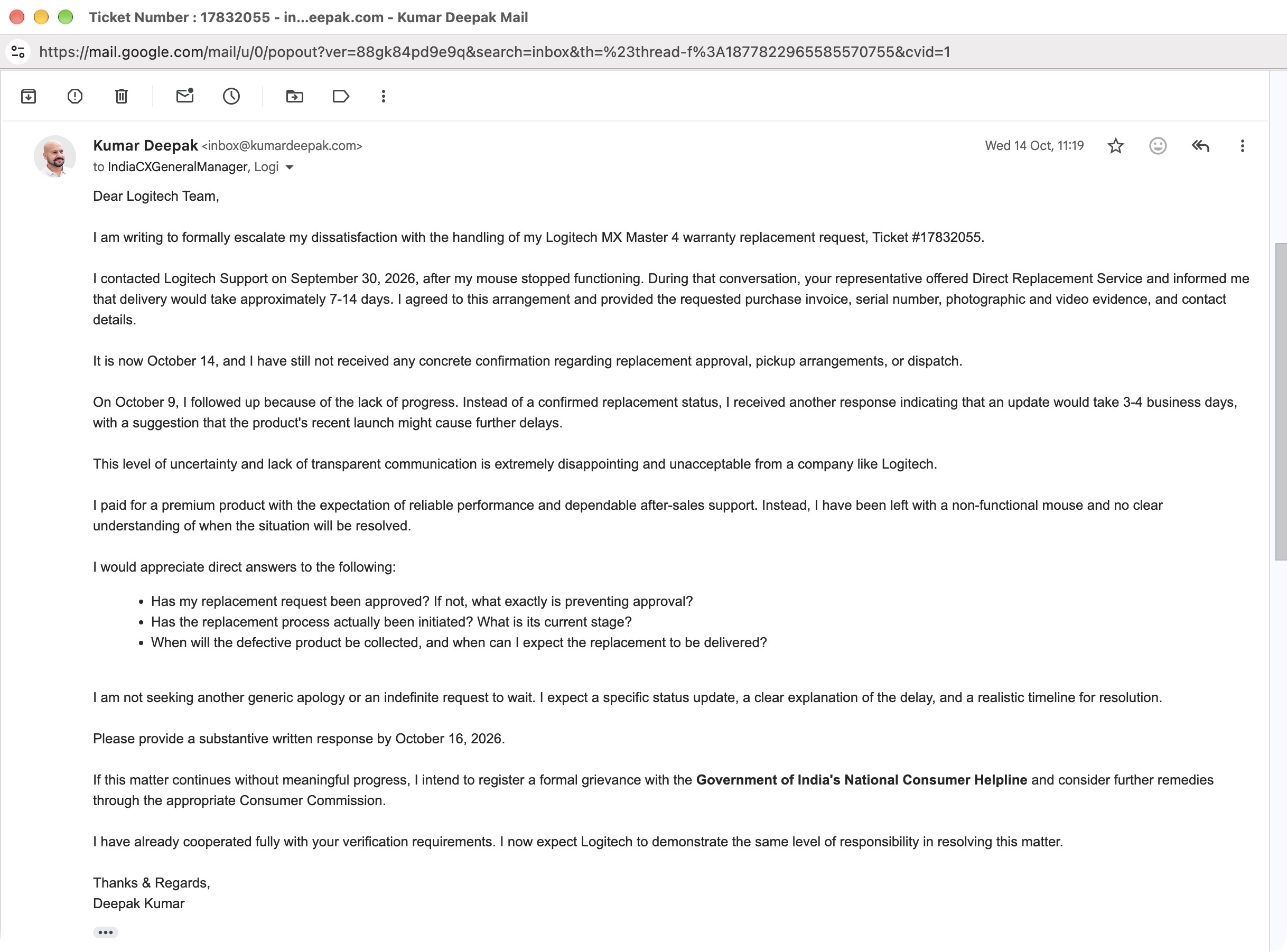
I requested a substantive response by October 16 and explained that I would consider raising the matter with India's National Consumer Helpline if it continued without meaningful progress. I wasn't asking for another generic apology. I wanted to understand what was happening and when the replacement would arrive.
Approval arrived later that SAME DAY 😹
A little over two hours after sending the escalation email, I received a response from Syed Maz at Logitech Customer Support. This time, there was a definite development: Logitech confirmed that my replacement had been approved.
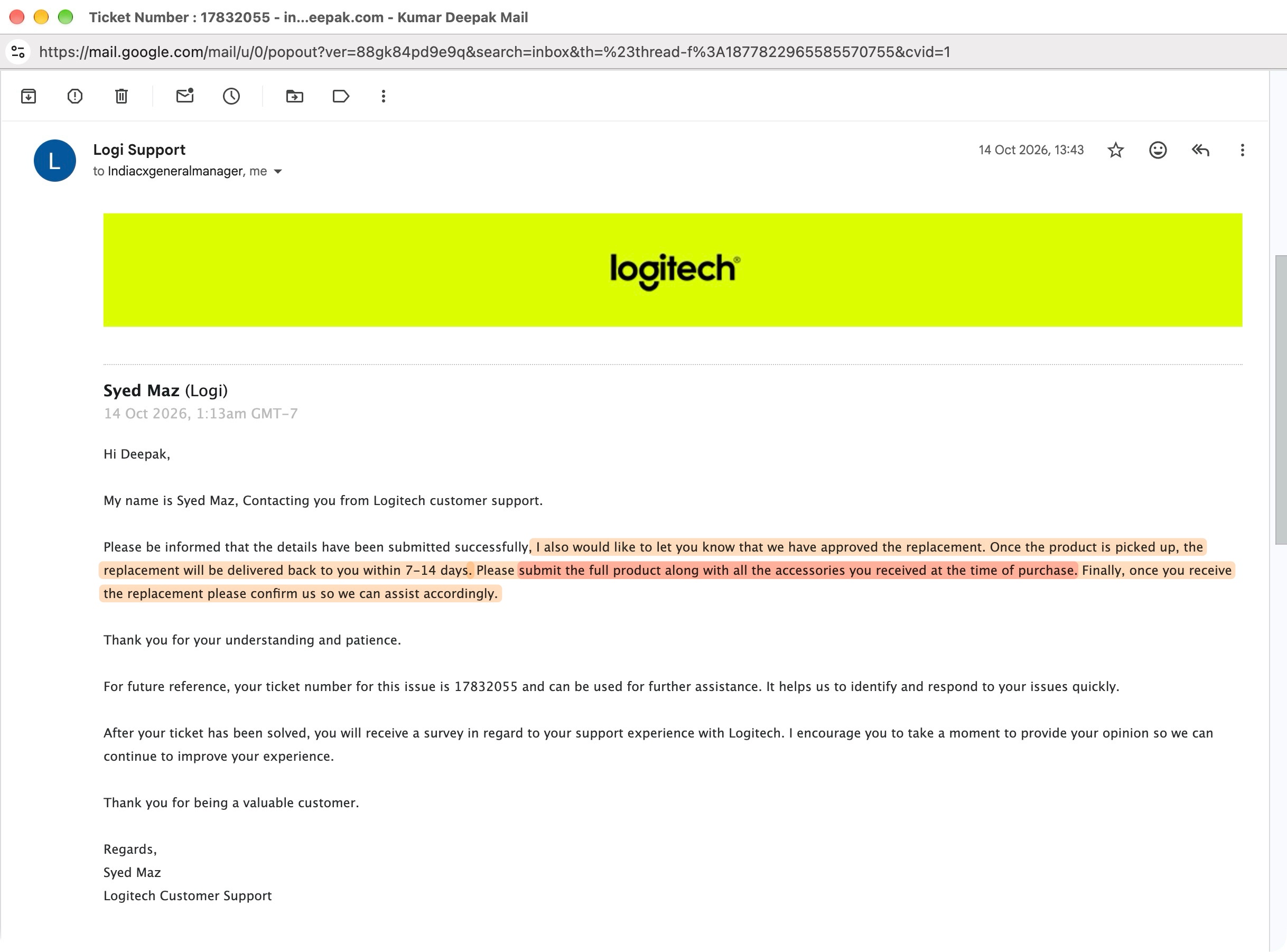
The representative instructed me to return the complete product along with all accessories received at the time of purchase. He also stated that the replacement would be delivered within 7-14 days after collection of the defective unit.
That was the confirmation I had been seeking since the original complaint. I had been seeking approval for two weeks, and written confirmation arrived on the same day as my formal escalation. 🤔
October 15 to October 23, 2026
Pickup, validation, and replacement dispatch
Once the replacement was approved, the process became much more concrete.
October 15: Pickup instructions from Flex
On October 15, I received an email from Flex, Logitech's authorized service partner, with instructions for returning the defective mouse. Flex arranged the process through its courier partner and provided the documentation needed for shipment to its facility in Bengaluru.
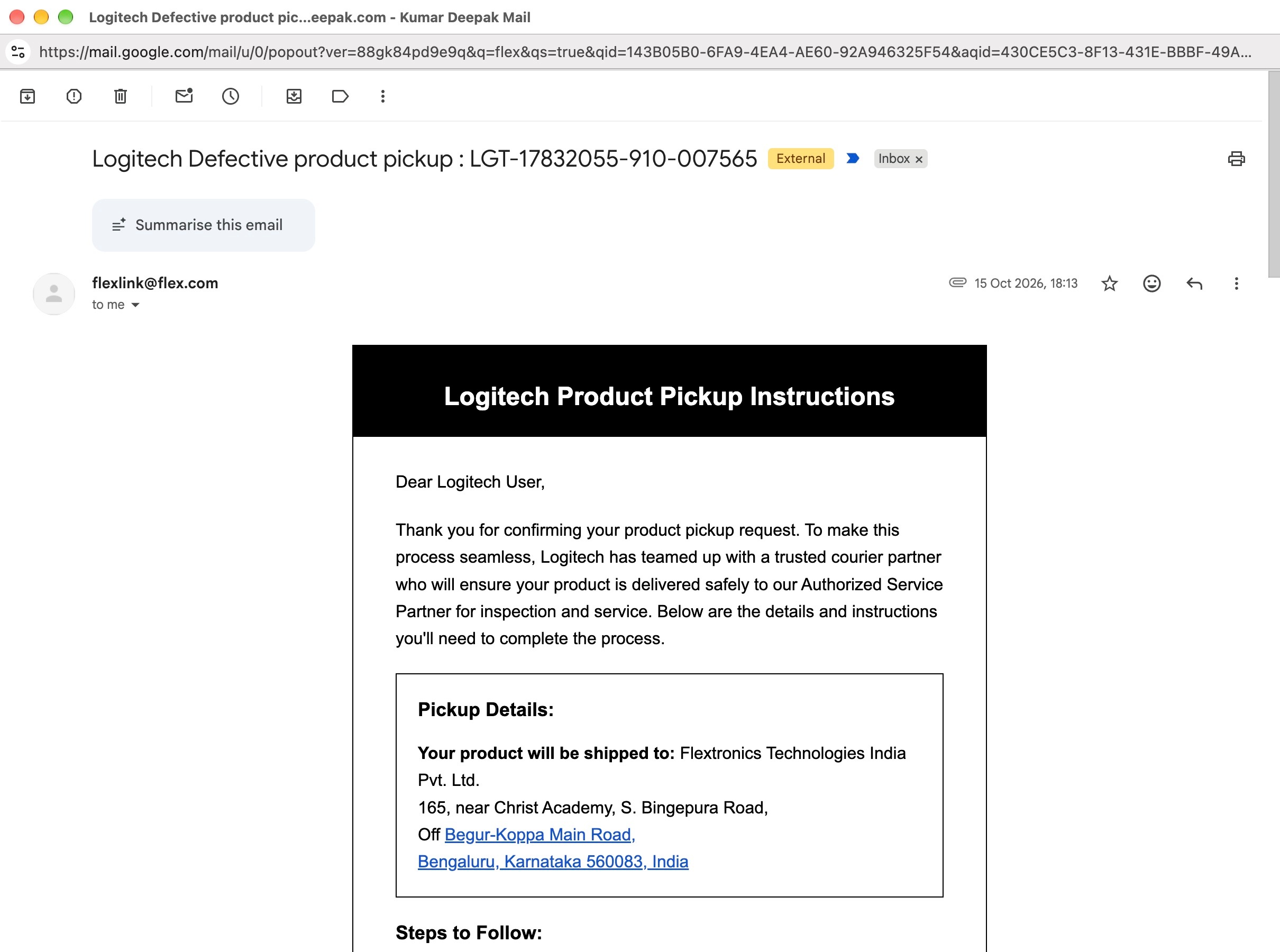
The instructions required three sets of the Delivery Challan and Air Way Bill, with separate copies to be attached to the parcel, retained for reference, and handed to the courier representative.
The email also specified how the product should be packed and labelled to avoid problems during transit.
October 16: The defective mouse was collected
The courier collected the package on October 16, 2026.
I packed & returned the defective MX Master 4 along with its original packaging and the accessories I had (Logi Bolt USB receiver). This was an important distinction for me, once the return process was finally arranged, the physical collection happened promptly.

October 22: Logitech confirmed receipt
On October 22, Syed Maz emailed me confirming that Logitech had received my defective unit. The email stated that the product was undergoing validation and that the replacement process would proceed afterward.
October 23: Flex confirmed the replacement shipment
The next day, October 23, I received another email from Flex confirming that the product had been received and examined at its repair hub. Flex informed me that a replacement was being sent through CriticaLog and provided an airway bill number.
👉 From my experience, there wasn't a significant problem with the courier process in either direction. The package was collected, reached the service partner, and the replacement was dispatched.
My main complaint remained the period before Logitech approved the warranty request, rather than the time the couriers took to move the parcels.
October 29: The replacement finally arrived
On October 29, 2026, I received the replacement parcel.

Inside was a sealed Logitech MX Master 4 retail box. It appeared unopened and showed no visible signs of tampering. The replacement mouse had a different serial number from the defective unit, as expected for a different device.
I connected it to my Mac and began using it. So far, Bluetooth connectivity and the Logi Bolt USB receiver are both working, and the mouse appears to function normally.
That is encouraging, but I have only just received it. I will need more time using it in my regular workflow before I can judge its reliability.
Where did the 30 days actually go?
Looking at the full timeline, the replacement took 30 elapsed calendar days from my original complaint on September 30 to delivery on October 29.
The dates show where that time was spent:
- September 30 to October 14 (14 days) - My request went through validation, support follow-ups, and eventually written replacement approval.
- October 14 to October 16 (2 days) - After approval, the return pickup was arranged and the defective mouse was collected.
- October 16 to October 29 (13 days) - The defective unit travelled to the authorized service partner, was processed, and the replacement reached me.
The last 13 days fell within the 7-14 day period Logitech quoted after pickup.
That is why I distinguish the customer-support delay from shipping. Based on the correspondence and my collection and delivery records, I did not identify a comparable delay in the courier movements.
In my view, the two weeks spent waiting for approval substantially prolonged the overall experience. Had the request been approved promptly, I believe I could have received the replacement considerably earlier, potentially by roughly two weeks.
Whatever the reason for the delay, the impact was real. I was left without a working mouse, my daily work was affected, and I had to spend additional time repeatedly contacting Logitech just to get updates on a warranty replacement I had already requested.
I had supplied the requested evidence at the beginning, continued asking for an approval update, and did not receive written approval until October 14. That delay was part of Logitech's customer-support experience, and its consequences were mine to deal with.
The final outcome and my experience
As of October 29, my original MX Master 4 has been replaced, and the new mouse is working through both Bluetooth and Logi Bolt connectivity.
My dissatisfaction is specifically with Logitech's customer support and the delay in processing my warranty replacement. I submitted the requested information early in the process, yet it took 14 days to receive approval, despite repeated follow-ups and eventually a formal escalation. Had Logitech acted sooner, I would have received the replacement much earlier and avoided much of the follow-ups.
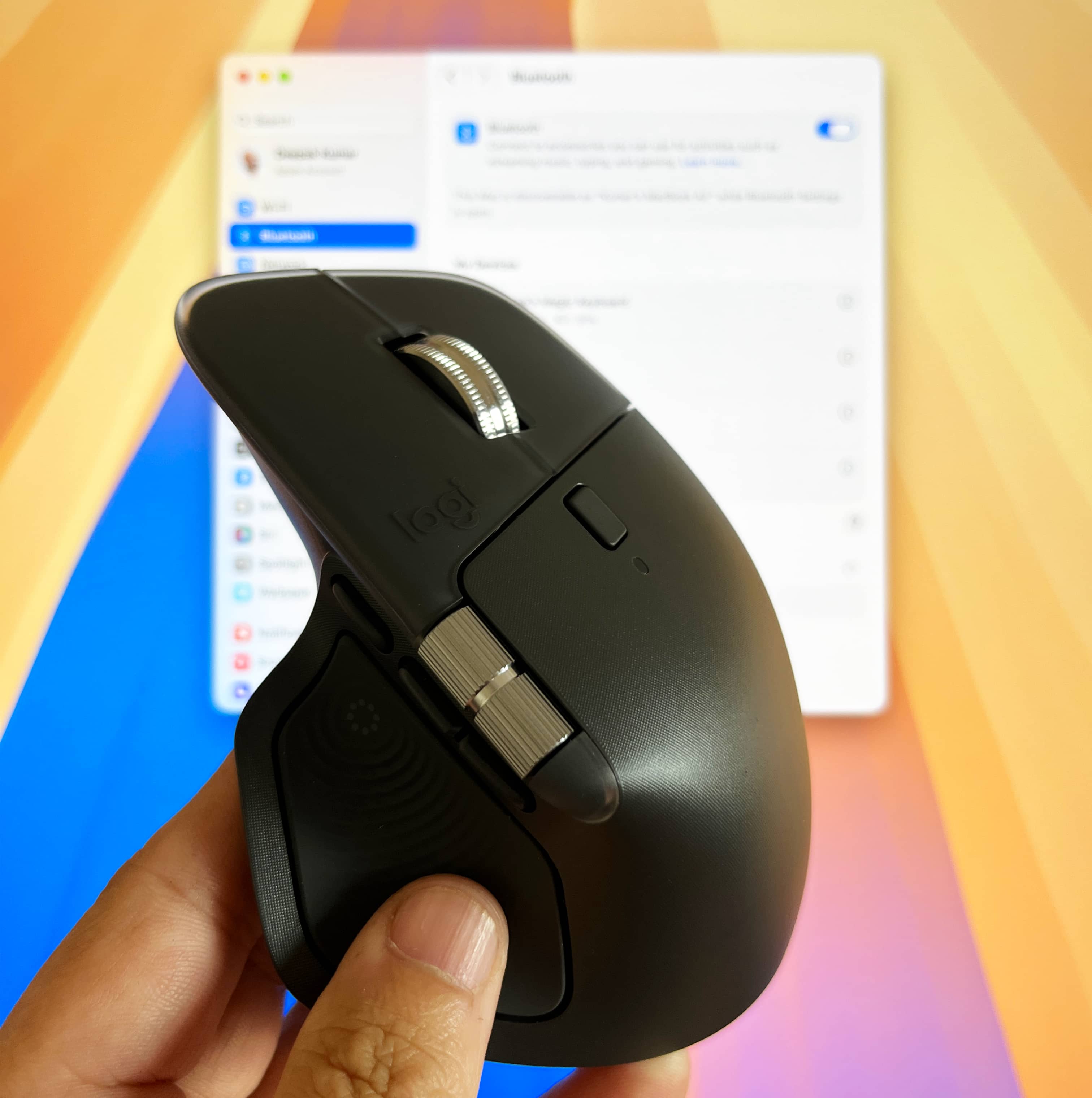
I hope this replacement continues working reliably. After the original mouse failed so early, I would naturally prefer that any further fault, should one occur, becomes apparent while the product is still under warranty. For now, the replacement is working. The lengthy customer-support process that led to it is an experience I would have preferred to avoid.