How I Manage the Business Behind My Code
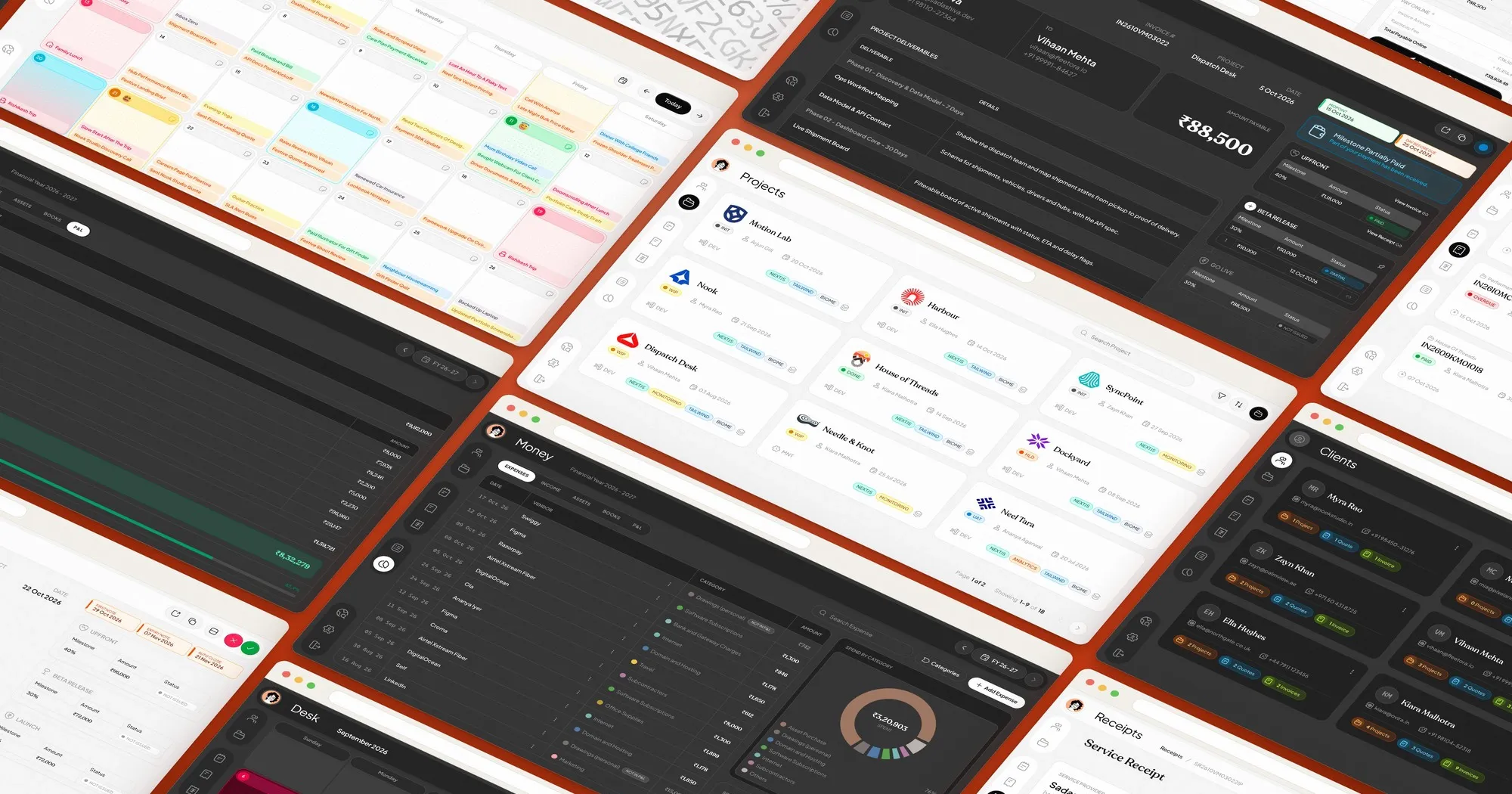
I manage my freelance development business through WorkDesk, a web application I built to keep clients, projects, quotations, invoices, receipts, and business finances connected in one place. In 2026, writing code is only one part of my work. Running the business around it deserves just as much attention.
As an independent web application engineer, I handle everything from initial client conversations and project planning to development, delivery, payments, and ongoing support. Each project creates information that I need to preserve, and each client relationship comes with its own commercial and financial history. I wanted a system that could handle all of this without becoming another complicated application I had to manage.
So I built one.
The Problem With My Old Workflow
For a long time, my business information was scattered across different applications.
I used Notion to maintain client information and project records. Quotations and invoices lived in Google Sheets. I tracked business expenses, recorded income, and maintained my books manually on Notion.
Each tool did its individual job, but nothing was properly connected.
A client's details existed in one place, their project information somewhere else, and the quotation I had sent them in another application. When a payment arrived, I had to make sure the relevant records were updated.
The real problem wasn't any particular tool.
It was the amount of manual coordination required between them.
I started looking for something better and explored several business management platforms, including Zoho, Bonsai, and monday.com to name a few.
These are established products with their own strengths, but none quite matched how I wanted to operate. Some felt unnecessarily complicated for my requirements, while others lacked the particular combination of project management, client documentation, financial tracking, and visual simplicity I was looking for.
I didn't want a massive business suite with features I would never use. I wanted something focused, thoughtfully designed, and genuinely pleasant to work with every day.
Eventually, I decided that building my own application made more sense than continuing to adapt my workflow around somebody else's software.
That's how WorkDesk started.
One Place for Every Client and Project
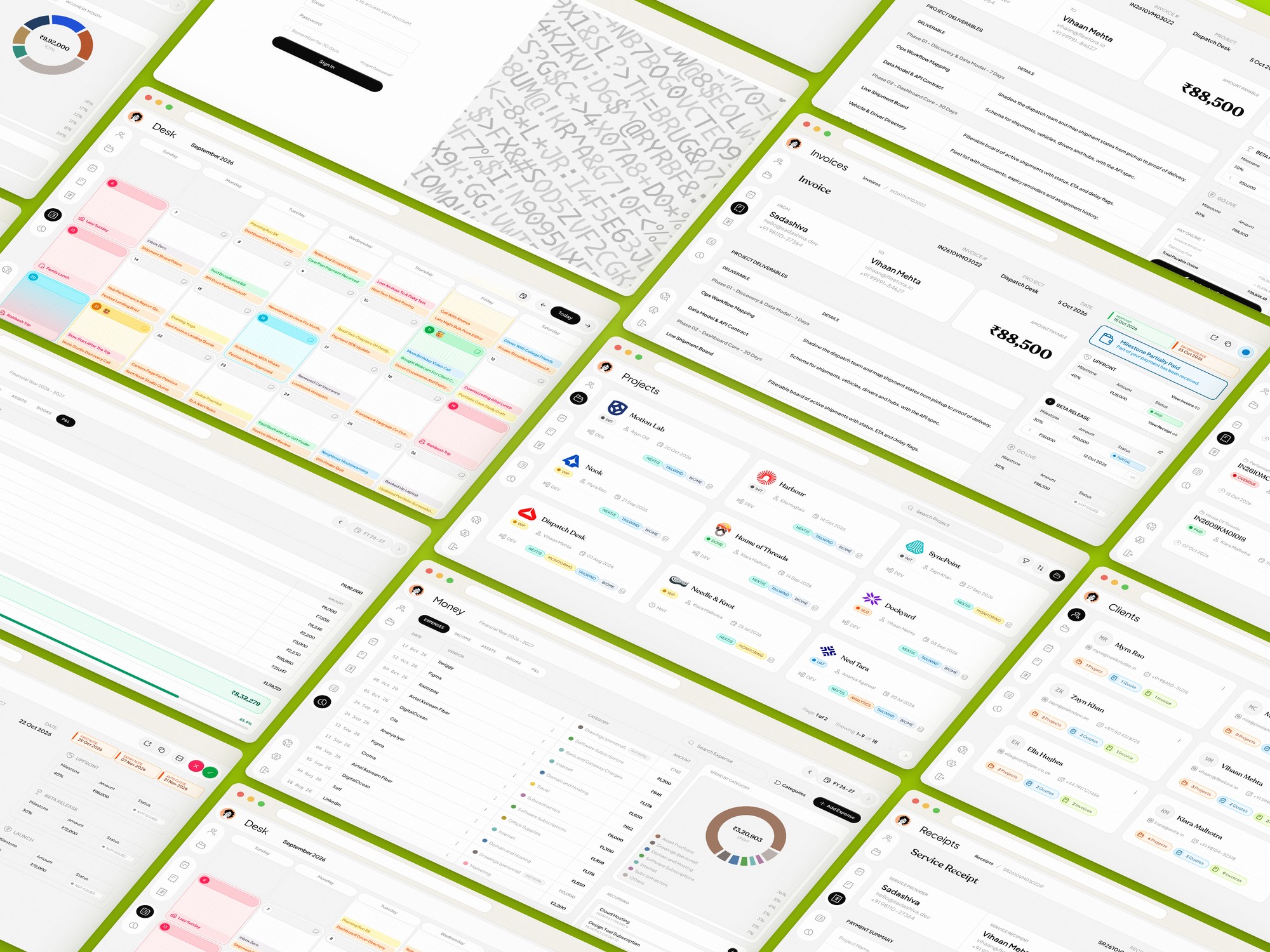
The foundation of WorkDesk is simple: clients, projects, and their related records should belong together.
Each client has a dedicated record containing their contact information and associated projects, quotations, and invoices. When I open a client, I can see the business relationship instead of searching through separate documents to reconstruct it.
The same principle applies to projects.
A project in WorkDesk isn't just a name with a status attached to it. It's a central place for the information I accumulate while working on it.
I can maintain its technology stack, development status, important dates, repository and domain references, notes, attachments, updates, and credentials I may need during development or maintenance.
That includes practical details such as development credentials, third-party service accounts, and other project-specific information that would otherwise end up buried in notes or lost forever.
The project also connects to its quotations, invoices, payment receipts, and financial records.
This becomes particularly useful when returning to an older project. Instead of trying to remember where I stored something months earlier, I can open the project and review its history in context.
For someone managing several client projects independently, that continuity matters.
Making Quotations Feel Like Proper Proposals
This is probably my favourite part of WorkDesk.
I have always felt that the documents a freelancer sends to clients deserve more attention than they usually receive.
A quotation is not merely a list of services with an amount at the bottom. It's where I explain what I understand about the project, what I intend to deliver, and what the client should expect from working with me.
I wanted my quotations to communicate that information clearly while also looking like something thoughtfully designed.
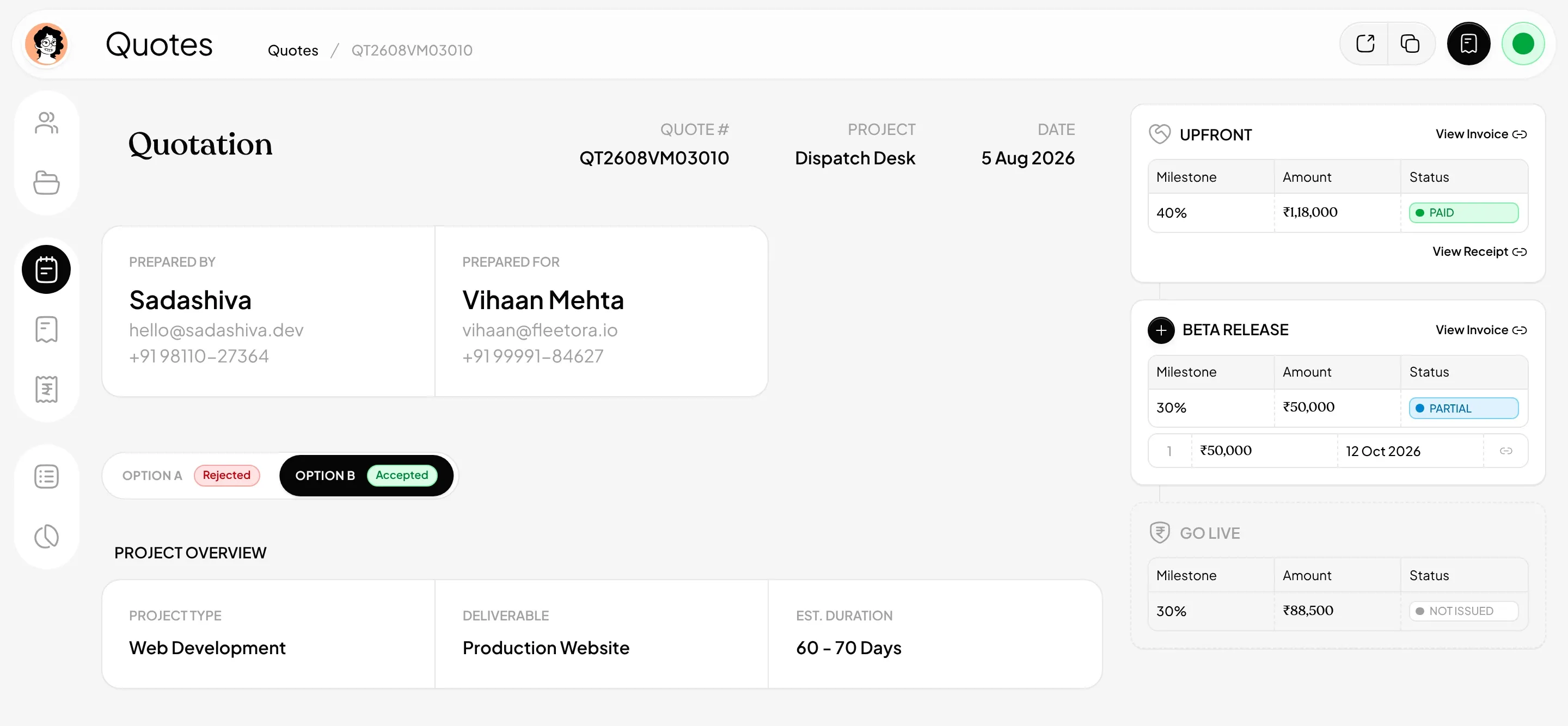
With WorkDesk, I prepare detailed digital quotations that can contain project overviews, deliverables, development phases, scope descriptions, pricing, attachments, exclusions, and payment terms.
For projects with multiple possible approaches, I can present alternative options within the quotation.
I can also break the commercial agreement into milestones, such as an upfront payment, a payment at an intermediate development stage, and a final payment associated with delivery.
The result is closer to an interactive, structured proposal than a conventional spreadsheet document.
Sharing a Link Instead of Sending Another PDF
Rather than exporting every quotation into a PDF and attaching it to an email, I share a direct link to the document.
WhatsApp is my primary communication channel with clients, while email serves as a secondary channel and backup.
The client opens the link and sees the quotation in a dedicated web interface. The same approach applies to invoices and service receipts. These documents are also protected by an access-verification mechanism. After a certain access period, a one-time password is required to continue viewing them.
I wanted the experience to remain straightforward for the client while keeping sensitive business documents protected. There is no artificial approval workflow that forces clients to make decisions inside an unfamiliar portal.
When a client confirms a quotation through WhatsApp, email, or another communication channel, I record its approval in WorkDesk.
The software supports the business relationship instead of trying to replace the conversation.
From Approved Quotes to Milestone Invoices
Once a quotation is approved, the payment structure already defined in it becomes useful.
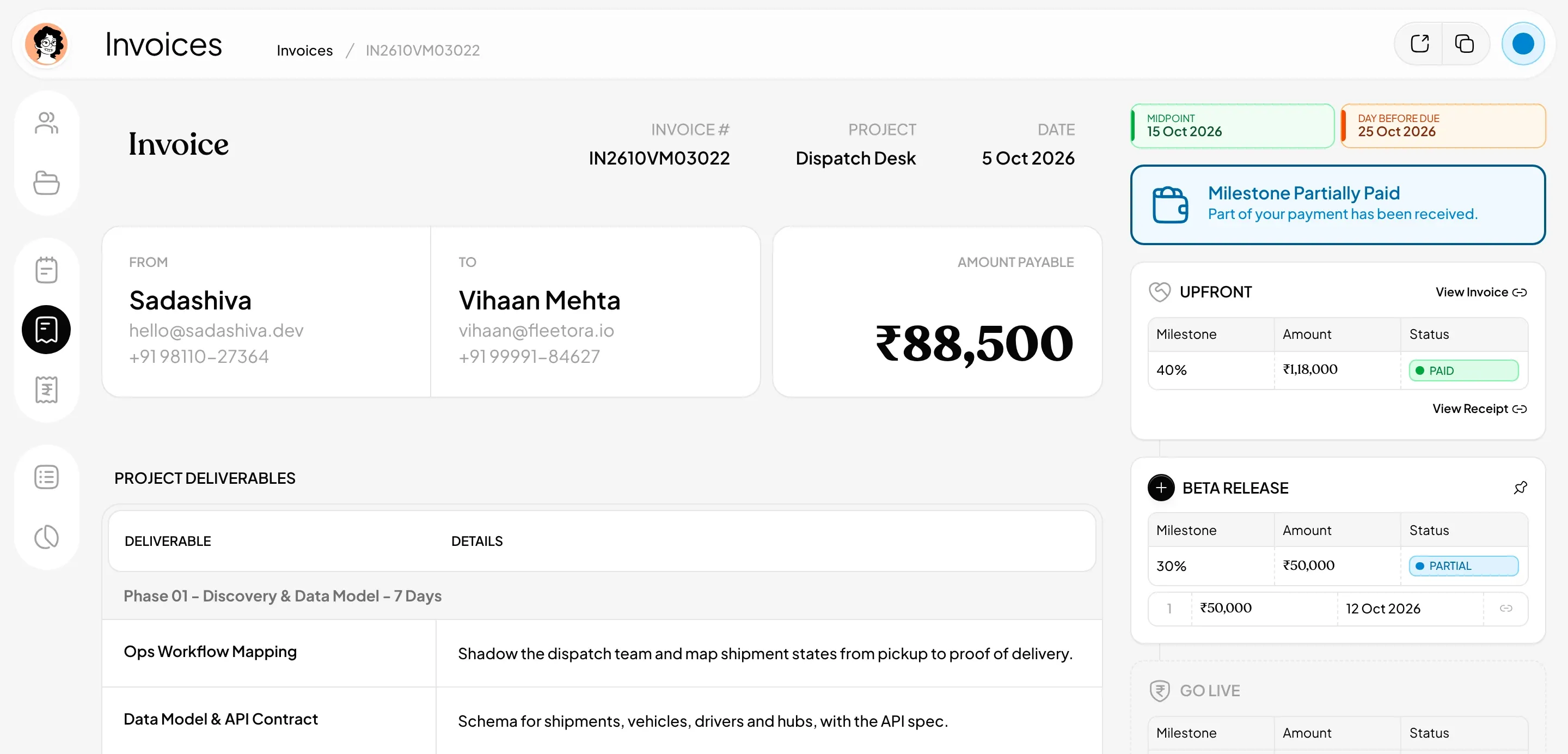
WorkDesk can generate invoices against individual project milestones, allowing the billing process to follow the agreement instead of starting from scratch every time.
An invoice carries the relevant project and payment information, with a clear amount, due date, and associated deliverables.
For me, that connection is important. I don't want an invoice to be an isolated financial document. I want it to remain connected to the project and the work it represents.
Letting Clients Pay Their Preferred Way
Clients can open their invoices through a link, just as they do with quotations.
The invoice provides payment details for direct bank transfers and UPI payments, along with an option to pay online. That gives clients flexibility without requiring me to prepare different documents for different payment methods.
WorkDesk also tracks payment status, including partially paid invoices and remaining balances.
This is especially valuable for milestone-based projects, where payments arrive at different stages of development.
I can see what has been received, what remains outstanding, and which milestone a particular payment belongs to.
Receipts Without Repeating the Work
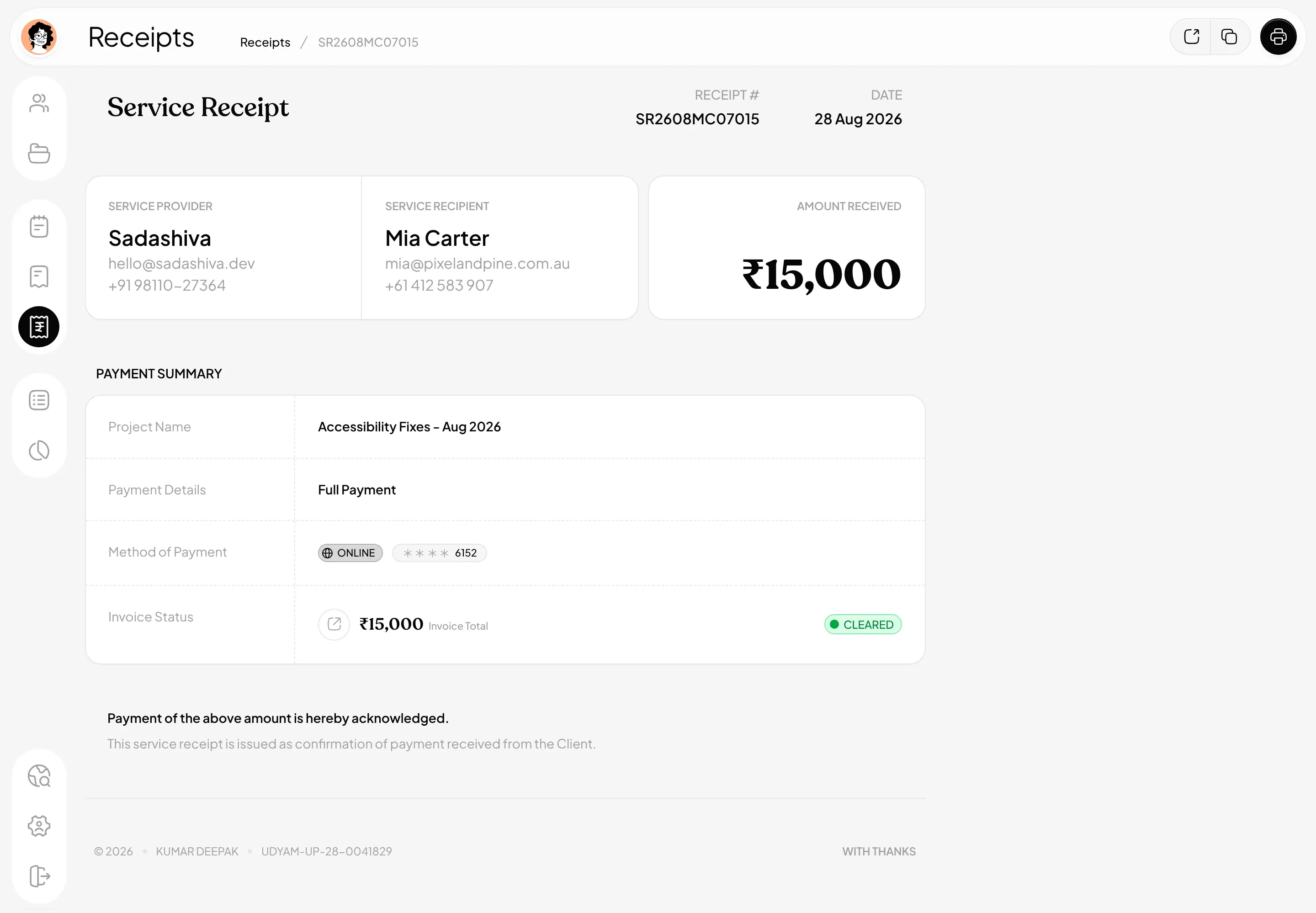
Whenever a payment is recorded, whether it arrives through the online payment flow or I record it manually, WorkDesk automatically generates a service receipt.
The receipt acknowledges the payment and links it to the corresponding invoice.
It includes the amount received, payment method, and relevant project information. Where an invoice is only partially settled, the remaining balance is visible too.
The client receives another properly presented digital document, and I retain a connected payment record.
The important part is that I don't have to create a separate receipt, update an unrelated spreadsheet, and then remember to record the same income elsewhere.
One recorded payment serves the different parts of the workflow that depend on it.
Desk: Remembering What I Actually Did
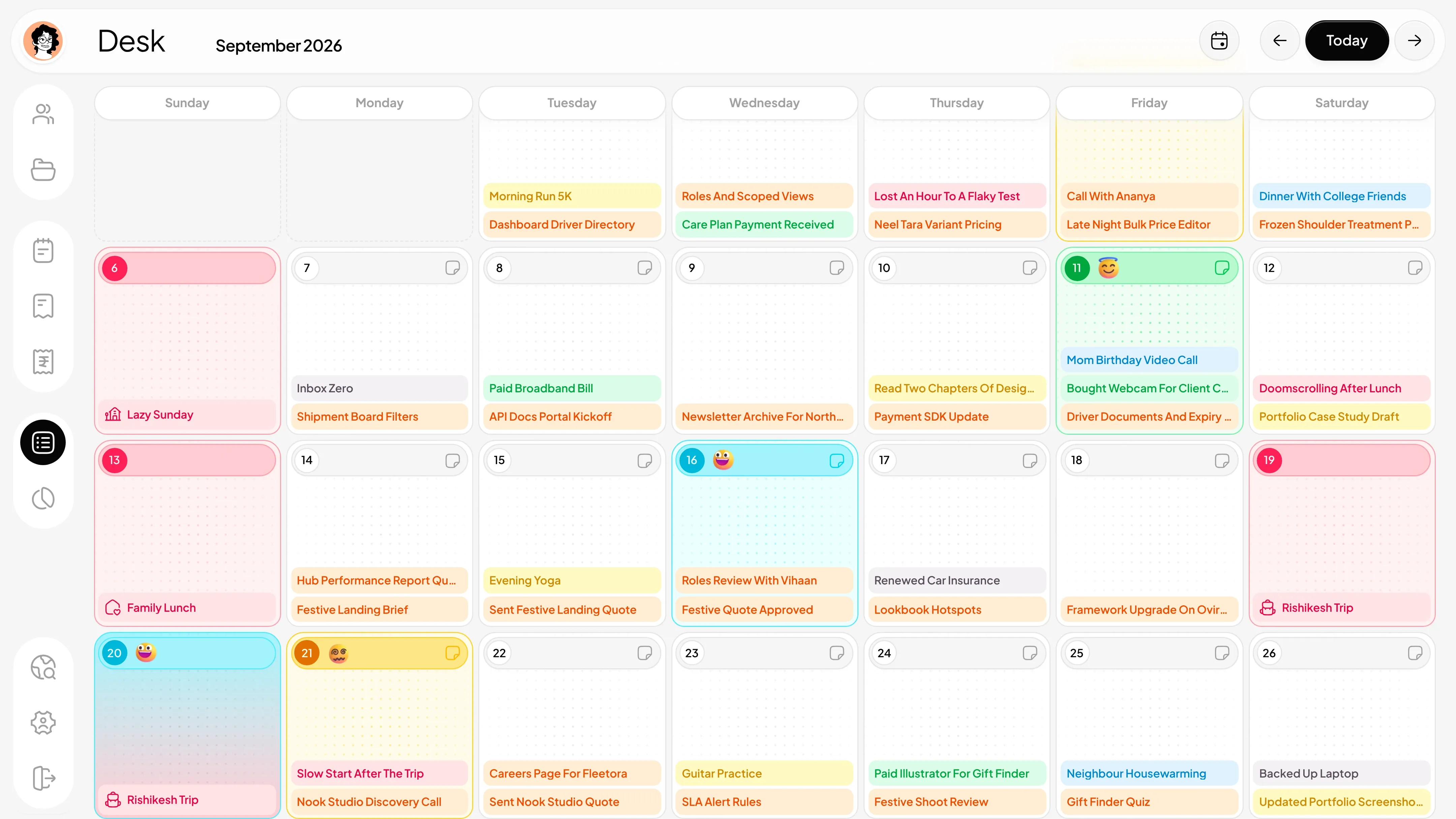
Another part of WorkDesk that I use differently from a typical productivity application is Desk.
It's a calendar-based space where I record activities and important moments from my days.
Most productivity calendars are built around what you plan to do next. Desk is also about remembering what has already happened.
I can record development work, project activities, client conversations, administrative tasks, and other events against the days on which they occurred.
Entries are visually distinguished by their type, making the calendar easier to scan and understand.
This gives me a retrospective view of my work.
If I want to remember when I discussed a particular feature, sent a quotation, worked on a project, or handled something important, I can look back through the calendar.
Not everything worth remembering belongs in a formal project update. Sometimes a small activity becomes relevant weeks later. Desk gives those activities a place without turning them into another complicated project-management exercise.
It's a simple idea, but I find the ability to look back at my work history just as valuable as planning what comes next.
Managing Business Money Without Maintaining Separate Books
Project management is only part of running a freelance business. The financial side needs equal attention.
Previously, this was one of the most tedious parts of my workflow.
I had to maintain income records, record expenses, and keep my books updated manually. Even when the information was available, bringing everything together for a financial overview required additional work.
WorkDesk brings these records into a dedicated Money section.
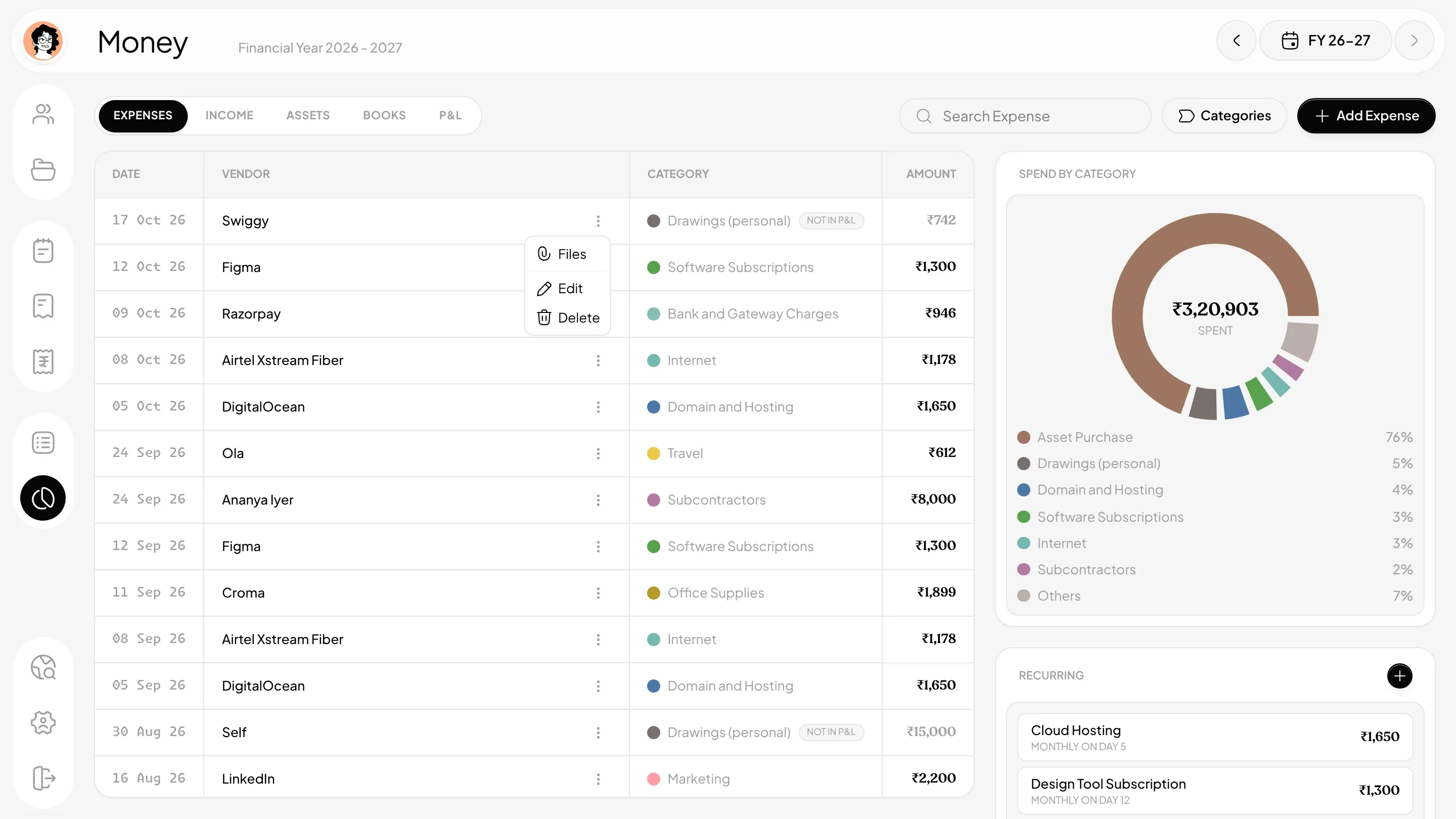
Income, Expenses, and Assets
Income is connected to the payments recorded against invoices and service receipts.
I can view income by project, identify where payments came from, and review financial activity across a selected financial year.
On the Expense side, I manually enter business costs and categorize them appropriately.
These can include hosting, software subscriptions, internet services, professional fees, travel, and other operating expenses. The application also helps me keep track of recurring expenses, which are easy to overlook when they are spread across different services.
Business Assets are recorded separately. I add the assets myself, while the application incorporates the relevant financial calculations into its reporting.
Bookkeeping That Follows the Transactions
This is where having everything connected becomes particularly useful.
Once the underlying financial information is recorded, WorkDesk automatically prepares the related bookkeeping views. I can review a cash book with incoming and outgoing amounts, a running balance, and transaction references.
There is also a ledger that organizes financial activity by clients, vendors, and expense categories.
Instead of maintaining these books as independent spreadsheets, they are generated from the financial records already held by the application. WorkDesk also prepares profit and loss reporting, including income, categorized expenses, and applicable asset depreciation.
I can examine project-level profitability too, comparing payments received against costs assigned to that project.
Keeping Records Ready for Tax Time
I wanted the financial system to be useful beyond everyday expense tracking.
As an independent professional operating in India, maintaining organized records throughout the financial year is important. WorkDesk helps me keep income, business expenditure, assets, and accounting statements together so the information is available when I need to review my finances or prepare tax-related records.
This doesn't eliminate the need to review figures or meet the applicable tax requirements. It removes much of the repetitive work involved in assembling those records from disconnected sources.
I still enter expenses and assets manually, and I still need to make sure the underlying information is accurate. But I no longer have to maintain every related accounting view independently.
For me, that is a much more useful form of automation than simply adding another dashboard full of charts.
Why I Didn't Build Another All-in-One Business Suite
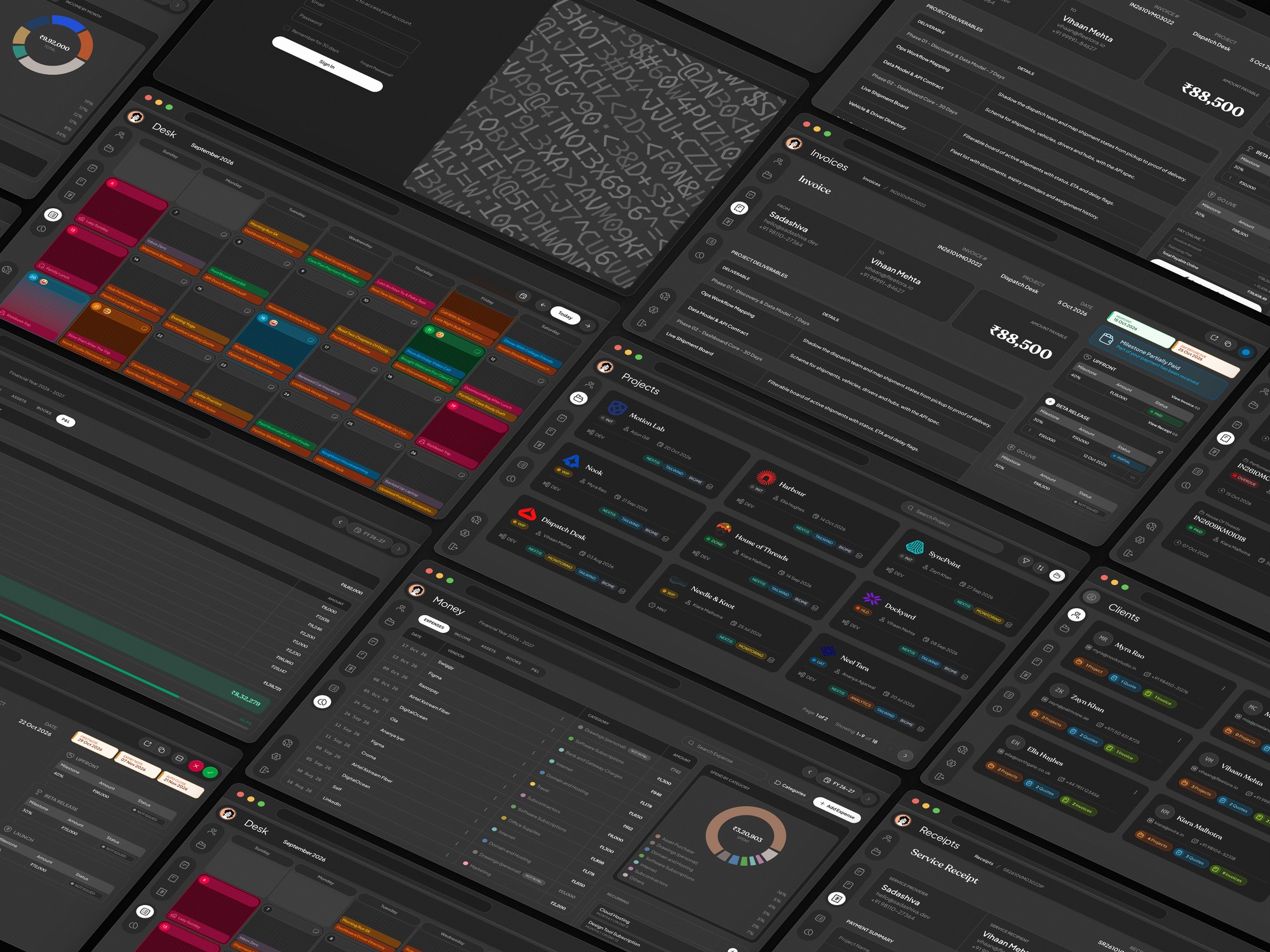
WorkDesk covers a considerable amount of my business, but the intention was never to build software with the longest possible feature list.
I had already explored applications that could do a hundred different things.
What I needed was an application that could handle the things I actually do, in a way that made sense to me. That distinction shaped how I approached WorkDesk.
A client should connect naturally to their projects. A quotation should establish the scope and payment milestones. An invoice should come from that commercial agreement. A recorded payment should produce a receipt and feed into the financial records.
Each part has a reason to exist, and the relationships between them are what make the system useful.
I also care about how business software feels. If I'm going to open an application almost every working day, I want it to be visually considered, easy to navigate, and free from unnecessary complexity.
A good interface doesn't make accounting or administration disappear. It makes the work easier to understand and less frustrating to perform. That's what I was aiming for.
What Changed in My Workflow
The biggest difference isn't any single WorkDesk feature.
It's that I no longer have to think about which application holds a particular part of my business.
When I'm discussing a project, I have its records. When I'm preparing a quote, I can define its scope and commercial terms. When it's time to invoice, the milestones are already connected. When a payment is recorded, the receipt and financial records follow.
And when I want to understand what happened on a particular day or how the business performed during a financial year, that information has its own place.
I still manage my clients personally. I still do the development work, communicate through WhatsApp and email, and make the decisions that come with running an independent business.
WorkDesk doesn't take over those responsibilities. It gives them structure.
A Better Way to Run My Own Freelance Business
I built WorkDesk because I was tired of managing the business around my development work with disconnected tools and repetitive manual processes.
What began as a solution to my own frustrations has become the application through which I organize clients, maintain project knowledge, prepare professional documents, record daily activities, and manage business finances.
It's an invite-only web application, but this isn't intended as a product pitch. I simply wanted to share how I manage the operational side of my work in 2026 and ahead.
As developers, we spend considerable time thinking about the quality of the applications we build for other people. I think the systems we use to run our own businesses deserve the same level of thought.
And there's something particularly satisfying about using software you've built yourself to do exactly that.