Is there a cheaper and trusted hosting than Vercel in 2026?
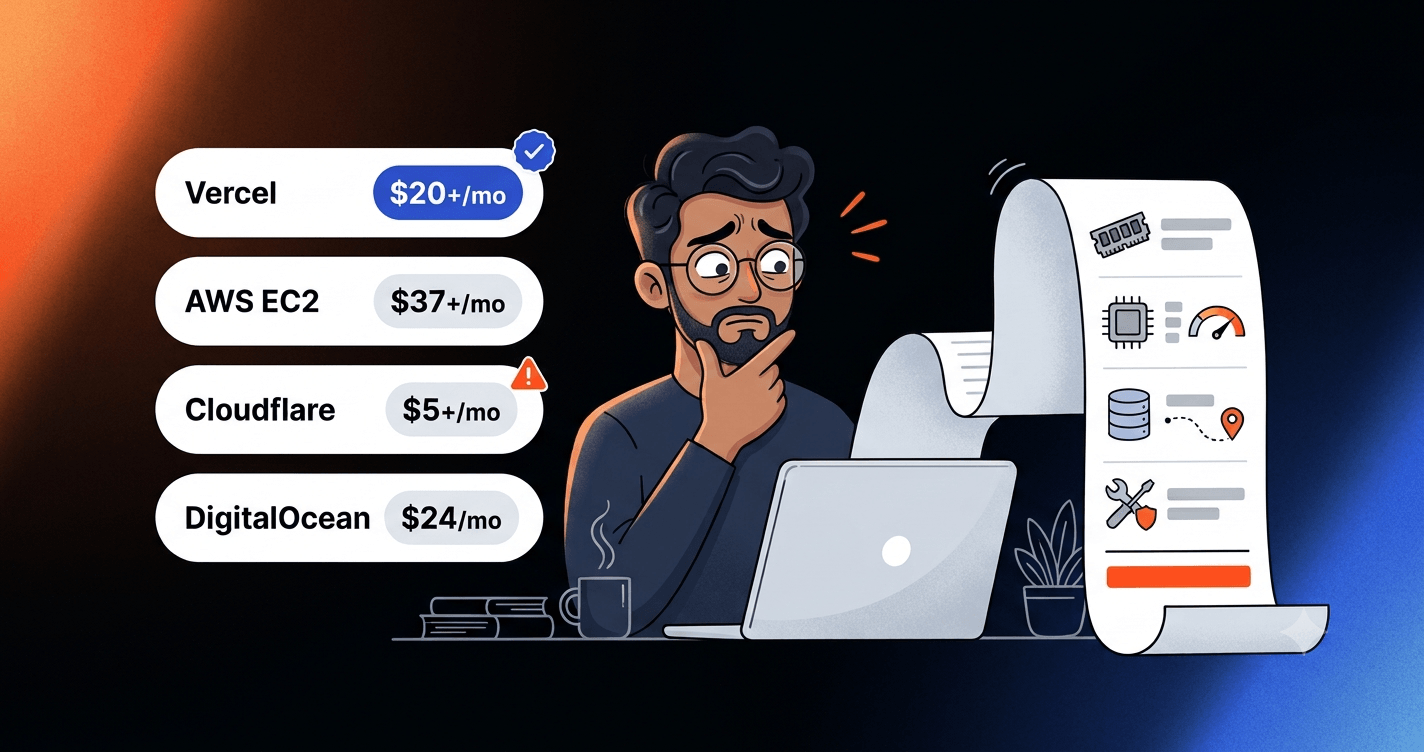
Hosting a Next.js application can look inexpensive until memory requirements, CPU limits, database latency, and additional charges enter the picture. A hands-on hosting experiment with four Next.js sites, followed by a comparison of other providers, showed why the cheapest advertised hosting plan is not always the cheapest practical option.
The question was simple: could four modern web applications be hosted for less money without sacrificing performance, reliability, or making deployment unnecessarily complicated?
The applications included a built-in CMS admin panel, online payments, server-side rendering, database queries, and image handling. AWS EC2 was tested in two regions, Cloudflare Workers was tested with a real application, and several other hosting providers were evaluated through their official pricing and documentation.
The result was not an exciting migration to a new provider. Vercel remained the preferred hosting platform for this setup, and the PostgreSQL database stayed on Neon's free plan.
What made the experiment worthwhile was understanding why some apparently cheaper alternatives were not actually better choices.
Why hosting prices are hard to compare
A $5 hosting plan and a $25 hosting plan may be charging for completely different things.
Traditional virtual servers, such as AWS EC2 instances or DigitalOcean Droplets, are rented computers. They have a fixed amount of RAM and processing capacity, and they run continuously.
If a server stays on for the entire month, it costs money even when nobody visits the website.
Serverless platforms, such as Vercel and Cloudflare Workers, work differently. They execute application code on managed infrastructure when needed, with billing based on the provider's usage model.
This distinction matters for websites with uneven traffic. A business website might receive very little traffic overnight and become busy during the day. Paying for a continuously running server means paying through both periods.
However, serverless hosting introduces its own limits. CPU time, memory, function executions, data transfer, and image transformations can determine whether a plan is suitable.
A few concepts make these differences easier to understand:
- CPU time: The time a processor actively works on a request. Waiting for a database or external API generally does not count as CPU time.
- RAM: The working memory an application needs while running. When a server runs short, it may move data to disk, called swapping, which is substantially slower.
- vCPU: A virtual processor core allocated to a server.
- Region: The geographic location of the infrastructure running an application or database.
- Latency: The travel and response time between systems, measured in milliseconds.
- Egress: Data transferred from a hosting provider to visitors or external services.
- Cold start: The extra delay when an inactive application or execution environment needs to start.
The cheapest plan is useful only if it can run the application reliably.
Vercel: The $25(India) starting point
Vercel is closely integrated with Next.js. A project can be connected to a Git repository, built automatically, and deployed without configuring a Linux server, reverse proxy, or HTTPS certificates.
It manages the infrastructure behind server-side functions, including scaling and much of the operational work that would otherwise fall on the developer.
Hobby is free, but not for every website
Vercel's Hobby plan costs $0 and includes allowances such as:
- 4 active CPU-hours per month.
- 360 GB-hours of provisioned memory.
- 100 GB of data transfer.
- 1 million CDN requests.
- 5,000 image transformations.
- Up to 200 projects.
4 CPU-hours might sound surprisingly small, but that refers to active processing, not four hours of website availability. For example, 4 hours equals 14,400 seconds. If a server-rendered page hypothetically requires 100 milliseconds of CPU time, the allowance could cover roughly 144,000 such renders, assuming no other CPU usage.
Actual applications will consume different amounts depending on what each request does.
When resource limits are exhausted, affected Hobby features can stop working until the allowance resets. Hobby does not automatically start charging for excess usage.
What does Vercel Pro cost?
According to Vercel's pricing, Pro starts at ~$25 per month in India, with $20 of monthly infrastructure usage credit. The included credit can offset eligible usage, but additional resource consumption can increase the invoice.
Vercel also introduced a Flat Rate CDN model in September 2026. Its included Pro tier provides 1 million CDN requests and 1 TB of data transfer. An optional $20 CDN tier increases the allowances to 10 million requests and 50 TB.
The image optimisation tradeoff
Image optimisation is one of the less obvious costs of hosting Next.js.
A website might upload a 700 KB photograph, but a visitor using a mobile phone may need only a much smaller version. Next.js can resize the image and convert it to a format such as WebP or AVIF, reducing the amount of data transferred to the visitor.
However, a single uploaded image can generate several cached variants because different devices request different widths. Next.js has eight default device widths and seven additional image widths. Together, these represent up to 15 configured widths, although only requested variants are actually generated.
The applications examined contained 380 source images.
If all 380 images were requested at all 15 widths, that would create 5,700 possible transformations for one format, exceeding Hobby's monthly allowance of 5,000.
That is a possible workload, not a count of transformations that actually occurred.
Three of the four sites currently have Next.js image optimisation disabled using images.unoptimized: true.
This avoids built-in optimisation requests but also means visitors can receive larger original images.
During the AWS test, with optimisation enabled, a 700 KB JPEG was converted into a 52 KB WebP image at 640 pixels wide. That is approximately a 93% reduction in file size.
Under Vercel's transformation-based pricing, transformations start at $0.05 per 1000, with additional image-cache operation charges and regional pricing differences.
Transformations can be charged again when cached images become stale or are missing. Next.js 16 defaults to a four-hour minimum image cache lifetime, which can be increased for images that rarely change.
The point is not that image optimisation should be disabled. It is that image delivery has a cost, and that cost may be measured differently by each provider.
See Vercel's image optimisation pricing and Next.js image documentation.
Cloudflare Workers: Free hosting that failed the CPU test
Cloudflare Workers was an attractive alternative because its free plan includes 100,000 requests per day.
Workers runs application code across Cloudflare's global network using lightweight execution environments called isolates, rather than conventional Node.js servers.
However, the Free plan has a critical restriction: 10 milliseconds of CPU time per HTTP request. 😹
That is ten thousandths of a second of actual processing.
Testing a real Next.js application
The application tested on Workers contained 30 pages and 79 API routes, including authenticated interfaces and database operations.
It built and deployed using a Next.js-compatible adapter, but compatibility changes were necessary.
Prisma needed a Workers-compatible runtime configuration. Without it, the application encountered a WebAssembly runtime error.
Database client handling also needed changes because Workers restricts sharing certain request-bound connections across unrelated requests.
The resulting bundle was approximately 15.8 MB, comfortably below Cloudflare's 64 MiB uncompressed bundle limit.
Startup took around 14 to 15 ms, also within Cloudflare's one-second startup constraint.
Neither bundle size nor startup time was the main problem.
CPU consumption was. 😥
What the measurements showed
There were 82 logged-out requests, with no errors in that group.
The CPU measurements were:
- 25% of requests used 2.5 ms or less.
- Median CPU time: 17.8 ms.
- 75th percentile: 20.9 ms.
- 90th percentile: 29.1 ms.
- Highest measured request: 190.9 ms.
Even though these requests completed, the median was already above the Free plan's nominal 10 ms CPU limit.
Cloudflare allows occasional flexibility around configured limits, but sustained excessive CPU usage can cause requests to be terminated.
The authenticated parts of the application required substantially more processing.
Measured median CPU time included:
- List API: 237 ms.
- Detail Page: 103 ms.
During authenticated testing, 12 requests failed with Error 1102, indicating that the Worker exceeded resource limits. That was a decisive result. The free plan could not reliably handle this application's authenticated workload.
Why database pages were slower
The application used PostgreSQL hosted in Singapore.
On Vercel, the functions were configured to run in Singapore, geographically close to the database. A warm Fluid compute instance could also reuse its database client and connections.
In the tested Workers setup, requests executed near visitors in India, while the database remained in Singapore. The application also created fresh database connections for each request.
That introduced additional connection setup and network delays.
External measurements showed:
- Pages reading the database: approximately 0.67 to 1.5 seconds.
- A page without database access: approximately 0.15 seconds.
Cloudflare offers Hyperdrive, which provides database connection pooling and can cache eligible queries.
Hyperdrive might have reduced some connection overhead, but it required another adapter change and was not tested. Its effect on performance in this application remains unknown.
Would Workers Paid solve the problem?
Cloudflare Workers Paid starts at $5 per month.
It includes 10 million requests and 30 million CPU-milliseconds monthly, with additional usage charged separately.
The per-request CPU limit is substantially higher, defaulting to 30 seconds and configurable up to five minutes.
At a hypothetical average of 100 ms CPU time per request, 30 million CPU-milliseconds could cover approximately 300,000 requests before additional CPU charges.
Cloudflare also has a different image optimisation pricing model.
Cloudflare Images includes 5,000 unique transformations per month and then charges $0.50 per 1,000 additional unique transformations. Repeated requests for the same transformation during the month do not count again.
Vercel's starting per-transformation rate is lower, but Vercel can charge again when its cache requires another transformation.
Which is cheaper depends on the application's image requests and caching behaviour.
Workers Paid could be suitable for this workload, but a complete paid-plan deployment was not tested. The confirmed result was that Workers Free was unsuitable for the tested application.
AWS EC2: Four applications on one server
AWS EC2 offered a different possibility: rather than paying for separate serverless execution, run all four Next.js sites on a single virtual machine.
That provides full control over the operating system, Node.js runtime, application processes, and deployments.
It also means taking responsibility for those components.
The experiment used:
- Ubuntu 26.04 LTS on an Arm-based instance.
- Node.js 24.
- PM2 for application process management.
- Caddy for reverse proxying and automatic HTTPS.
- A 20 GB encrypted gp3 SSD volume.
- A public IPv4 address.
Servers were tested in Mumbai (ap-south-1) and Singapore (ap-southeast-1).
Each application used Next.js standalone output, producing deployment folders between 97 MB and 134 MB.
All four applications and the operating system together occupied approximately 5.1 GB of disk space.
Disk capacity was not the problem. Memory was.
A 2 GB server was not enough
A fresh Ubuntu boot consumed around 530 MB of memory before the complete application workload was running.
The four applications used approximately 139 to 304 MB each while idle, but their memory requirements increased with activity.
Measured application peaks were:
- CMS application: 1,030 MB.
- Second application: 470 MB.
- Third application: 427 MB.
- Fourth application: 247 MB.
The combined recorded peak was approximately 2,174 MB.
A 2 GiB server could not comfortably accommodate the workload. During the test, around 601 MB was swapped to disk. Swapping can help keep processes running temporarily, but relying on it can make an application noticeably slower.
A 4 GiB t4g.medium instance, providing two virtual CPU cores, was the appropriate size identified for the tested workload. CPU usage reached a five-minute average peak of 59%.
This demonstrates why application build size and runtime memory consumption should never be confused.
A 100 MB deployment folder does not mean the application needs only 100 MB of RAM.
Next.js worked without application rewrites
Moving the applications to EC2 did not require the runtime changes encountered with Cloudflare Workers.
The principal Next.js configuration change was enabling output: 'standalone'.
This creates a production deployment folder that can run with node server.js, without deploying the entire development dependency tree.
There were still operational lessons:
- The
publicand.next/staticdirectories needed to be copied separately. - Running a full
npm installinside the standalone folder unnecessarily pulled approximately 1.5 GB of dependencies during the test. - One application behind the reverse proxy needed
HOSTNAME=localhostto prevent an internal rewrite error. - PM2 needed its startup configuration saved. Without
pm2 startupandpm2 save, the applications did not return automatically after a server reboot. - Next.js stored image cache files inside each release directory. Replacing that directory during deployment would lose the cache unless it was preserved separately.
See Next.js standalone deployment documentation.
The database region changed everything
The most revealing performance result came from comparing Mumbai and Singapore.
Initially, Mumbai appeared to be the obvious choice. It was geographically closer to visitors in India and had a lower EC2 instance price.
But the PostgreSQL database was hosted on Neon in Singapore.
When the application server ran in Mumbai, database requests had to travel to Singapore and back.
When the application server ran in Singapore, the database was much closer.
The measurements showed a substantial difference.
Mumbai application server with Singapore database:
- Average query latency: 83.6 ms.
- Twenty sequential queries: 1,824 ms.
Singapore application server with Singapore database:
- Average query latency: 3.4 ms.
- Twenty sequential queries: 73 ms.
The twenty-query workload took approximately 25 times longer from Mumbai.
A page that performs several database operations sequentially can accumulate this delay because each query may wait for the previous one.
Not every page makes 20 sequential queries. Connection reuse, batching, query optimisation, and caching can all affect performance.
Nevertheless, the experiment demonstrated an important principle: the best server region is not necessarily the one closest to the visitor.
For database-heavy applications, proximity between the application server and database can matter more.
Neon's supported AWS regions included Singapore but not Mumbai at the time of testing.
That made Singapore the more practical EC2 location for the existing database arrangement, despite its higher instance price.
What AWS EC2 actually costs
A virtual server's hourly rate is only one part of the bill.
A 31-day month contains 744 hours. A continuously running instance is charged throughout that period.
The following estimates use the Linux On-Demand EC2 prices recorded during the November 2026 experiment.
Singapore: $37.19 per month before tax
The 4 GiB t4g.medium instance was priced at $0.0424 per hour.
For 744 hours:
- EC2 compute: $31.55.
- Public IPv4 address: $3.72.
- 20 GB gp3 storage: $1.92.
Total before tax: $37.19.
With illustrative 18% GST: $43.88.
The server alone appears to cost $31.55 monthly, but the required networking and storage added almost $6 before tax.
These figures exclude possible additional data transfer, CPU credit charges, snapshots, and other optional services.
Mumbai: $22.21 per month before tax
The same instance type in Mumbai was priced at $0.0224 per hour.
For 744 hours:
- EC2 compute: $16.67.
- Public IPv4 address: $3.72.
- 20 GB gp3 storage: $1.82.
Total before tax: $22.21.
With illustrative 18% GST: $26.21.
Mumbai was significantly cheaper.
But the measured database latency made it less suitable for the tested applications without changing their database setup.
Hidden and conditional AWS charges
Several charges deserve attention beyond the instance price.
Public IPv4: AWS charges $0.005 per hour for public IPv4 addresses, including allocated addresses that are idle.
Data transfer: AWS provides an eligible monthly allowance for outbound internet transfer. Additional usage may be billed.
Storage and backups: Attached EBS volumes continue to incur storage charges. Snapshots used for backups are billed separately.
CPU credits: AWS T-family instances are burstable, meaning they can use additional CPU capacity for short periods.
For the tested t4g.medium, the baseline is 20% per vCPU. Sustained CPU usage above that baseline can generate additional charges in Unlimited mode.
For example, if a two-vCPU instance hypothetically averaged 30% CPU usage throughout a 744-hour month, the excess CPU calculation would add approximately $5.95 at the published T4g surplus rate.
That is an illustrative calculation, not a charge measured during the experiment.
AWS explains these rules in its burstable instance documentation.
Maintenance: Operating system updates, security patches, monitoring, deployments, recovery, and backups require ongoing attention.
A server can be cheaper in raw computing cost while creating more operational work.
What about other self-managed hosting providers?
AWS was not the only option.
DigitalOcean, Hetzner, and Oracle Cloud were also evaluated against the requirement of running approximately 4 GiB of server memory continuously, ideally close to Singapore.
These were documentation and pricing comparisons. The applications were not deployed on these providers.
DigitalOcean Droplets
DigitalOcean offered a Basic Droplet with two shared vCPUs, 4 GiB RAM, 80 GiB SSD storage, and 4,000 GiB of included monthly transfer for $24 per month before tax.
A public IPv4 address was included without the separate hourly charge associated with AWS's public IPv4 pricing.
Singapore is an available DigitalOcean region, making it relevant to this application and database arrangement.
At $24, the Droplet was cheaper than the measured EC2 Singapore configuration.
However, it was still a self-managed server. Security, deployments, backups, monitoring, and maintenance would remain the developer's responsibility.
Its shared CPU performance was not tested with the four applications.
Hetzner Cloud
Hetzner offered a CPX22 configuration with two shared vCPUs, 4 GB RAM, and 80 GB NVMe storage.
In Singapore, the published server price was €26.49 per month. Adding the €0.50 primary IPv4 charge produced €26.99 before tax.
The Singapore configuration included 1 TB of traffic.
However, the ordering page displayed an unavailable-product notice during the pricing check.
This made it an interesting alternative on paper, but not an immediately confirmed option for deployment.
Hetzner also offered cheaper European locations, although moving the server far from the Singapore database risked repeating the region-related latency problem.
Oracle Cloud Always Free
Oracle Cloud Always Free provides substantial resources under its Ampere A1 allocation.
Its free allowance includes the equivalent of two OCPUs and 12 GB of memory, subject to monthly compute-hour limits, capacity availability, and other conditions.
That looks unusually attractive compared with paid VPS plans.
But Oracle may reclaim idle Always Free compute instances.
Its idle assessment considers CPU, network, and memory utilisation over a seven-day period. Resources that remain below the documented thresholds can qualify for reclamation.
The four applications peaked at approximately 2.2 GB memory. On a 12 GB server, that represents around 18% memory usage.
That does not establish whether Oracle would reclaim such an instance, because its policy considers multiple metrics over time. But it highlights a condition that must be examined before using it for an important application.
Home-region selection, resource availability, and applicable commercial terms also require verification.
Oracle was not tested, so it cannot be declared a reliable free replacement based on its specifications alone.
Managed alternatives: Railway, Render, Fly.io, Netlify, and others
Managed platforms remove some server administration, but their prices and resource limits differ substantially.
None of the following platforms was deployed or performance-tested with the four applications.
DigitalOcean App Platform
App Platform listed a 2 GiB instance with one shared vCPU at $25 monthly and a 4 GiB instance with two shared vCPUs at $50.
It simplifies application deployment and infrastructure management, but the listed 4 GiB configuration was more expensive than Vercel Pro's base subscription.
Railway
Railway uses resource-based billing.
Its Hobby plan starts at $5 monthly, with included usage credit. Memory costs approximately $10 per GB-month, CPU around $20 per vCPU-month, and network egress $0.05 per GB.
For illustration, holding 2.2 GB of memory continuously for a month would cost approximately $22 in memory usage alone.
That is not the actual bill for the four applications, because their recorded peak memory is not the same as average allocated usage across a month.
Railway may make sense for applications with lower or variable resource requirements, but a valid comparison would need actual deployment measurements.
Fly.io
Fly.io offers configurable virtual machines with shared or dedicated CPU resources.
Costs depend on machine size, memory, location, and network usage.
A 4 GB shared-CPU configuration was estimated at approximately $25 monthly from the published component prices, before region-specific adjustments and other applicable charges.
Singapore is supported, but its machine prices differ from US regions.
Without running the applications there, it was not possible to confirm whether Fly.io would provide a better total cost or performance.
Netlify
Netlify uses a credit-based pricing system.
Its Free plan included 300 monthly credits, Personal cost $9 with 1,000 credits, and Pro started at $20 with 3,000 credits.
Function compute used 10 credits per GB-hour, while bandwidth and deployments consumed credits separately.
If all 300 Free credits were spent entirely on compute, that would represent approximately 30 GB-hours.
That is not comparable to keeping a 4 GB VPS running all month. Serverless usage must be calculated from actual function execution and memory allocation.
The applications were not tested on Netlify.
Render
Render's Free web services spin down after 15 minutes without incoming traffic.
When a visitor returns, waking the service can take approximately one minute.
Render's documentation explicitly advises against using Free services for production applications.
A sleeping free service may be adequate for demonstrations or experiments, but it introduces unpredictable delays for visitors.
Heroku
Heroku offered smaller dynos, but memory capacity quickly increased the cost.
Basic cost $7 monthly with 0.5 GB RAM, Standard-2X cost $50 with 1 GB, and Performance-M provided 2.5 GB for $250.
Multiple smaller dynos are possible, but that is a different deployment arrangement from sharing a single 4 GB server.
Heroku's standard Common Runtime also offered US and European regions, while Asian locations were associated with its separate Private Spaces offering.
For the measured memory requirement and Singapore database location, Heroku was not a compelling low-cost alternative.
Why AWS Amplify and Lightsail were ruled out
Two additional AWS products were considered through their documentation.
AWS Amplify Hosting simplifies web application deployment, but its documented managed Next.js support extended through Next.js 15.
The applications used Next.js 16, and the documented compatibility did not meet the requirements.
AWS Lightsail offers simplified fixed-price virtual servers. However, its snapshot-based resizing workflow does not allow creating a smaller instance from a snapshot of a larger instance.
Downsizing by other migration methods may still be possible, but the standard snapshot workflow is limited.
Neither option justified replacing the existing hosting setup.
Why Neon remained the database provider
One alternative considered was running PostgreSQL on the application server itself.
That would place the database close to the application and avoid paying for a separate managed database.
But the existing PostgreSQL database was already using Neon's Free plan.
At the time of the comparison, Neon Free offered:
- 100 projects.
- 100 compute-unit hours per project monthly.
- 1 GB storage per project.
- Autoscaling up to 2 CU.
- Idle compute suspension.
- Limited free data transfer, branching, and restore history.
A compute unit represents an allocation of database processing capacity and memory.
The existing workload was operating within the free allowances.
Running PostgreSQL directly on EC2 would introduce responsibility for database backups, security, recovery, maintenance, and resource allocation.
AWS RDS and Aurora alternatives were considered too. Aurora DSQL also lacked the required pg_trgm PostgreSQL extension used for text searching.
None of the evaluated database alternatives established a clear cost advantage over Neon's existing free arrangement.
Keeping the database separate also meant that application hosting could change without requiring a database migration.
Three lessons from the hosting experiment
1. Measure memory before choosing a server
Application build size is not runtime memory consumption.
The four standalone builds were relatively small, yet their combined running memory reached 2,174 MB.
A 2 GiB server ran short and started swapping to disk.
For self-hosted applications, measure idle usage, peak usage, operating system overhead, and background processes before selecting a machine.
Buying the cheapest server first and discovering its memory limitations afterward is not a saving.
2. Price the complete bill, not the headline
The AWS Singapore instance cost approximately $31.55 per month in compute.
Adding the public IPv4 address and storage increased the baseline to $37.19 before tax.
With an illustrative 18% GST, the estimate reached $43.88.
That still excluded potential backup, transfer, CPU-credit, and operational costs.
The same principle applies to managed hosting: a low monthly subscription does not guarantee that sufficient resource usage is included.
3. Check CPU limits and database location before migrating
Cloudflare Workers Free had a 10 ms CPU limit, while authenticated application routes consumed substantially more processing time and some failed.
AWS Mumbai was cheaper than Singapore, but database queries to Singapore took approximately 25 times longer in the measured sequential-query workload.
Neither issue was apparent from the providers' starting prices.
Representative application tests are more useful than assumptions based on specifications alone.
Clean up after testing cloud infrastructure
One practical lesson from the experiment was that deleting an application does not necessarily remove every billable cloud resource.
After testing AWS, cleanup included:
- Terminating test instances.
- Deleting remaining volumes and snapshots.
- Releasing public IPv4 addresses.
- Removing temporary networking and SSH resources.
- Revoking credentials created for testing.
- Removing local test SSH keys and related connection entries.
A final check across AWS regions found no remaining servers, IP allocations, disks, or snapshots.
That matters because unused public IPv4 addresses and storage resources can continue generating charges after a server has stopped or been terminated.
Always check the complete cloud account after an infrastructure experiment, not just the region or instance you last used.
A practical checklist before choosing hosting
Before paying for hosting or migrating an application, answer these questions:
- How much memory and CPU does the application use under realistic traffic?
- Is the application server in the same region as its database?
- Does the hosting plan permit the intended commercial use?
- What happens when resource limits are reached: blocked requests, reduced performance, or additional charges?
- What is the total monthly cost after storage, networking, backups, additional usage, and tax?
- Does the application sleep when idle, and what happens when the next visitor arrives?
- Does the provider support the application's framework version and required features?
- Who handles updates, security patches, monitoring, and recovery?
- Can spending be controlled through budgets, alerts, or hard limits?
The right hosting choice depends on these answers, not just the lowest advertised price.
Final verdict: Which hosting should you choose?
For these four Next.js applications, Vercel remains the best-supported choice. The experiment found no tested alternative that offered a better overall combination of cost, compatibility, performance, and operational simplicity.
Here is how the options compare in practical terms:
- Choose Vercel for managed Next.js hosting. The Pro plan starts at $20 before tax and usage overages. It avoids routine server administration and performed well with the existing Singapore database. Commercial applications need an eligible paid plan rather than relying on Hobby.
- Choose a self-managed VPS when control and predictable capacity matter more than convenience. DigitalOcean's 4 GiB Droplet at $24 before tax is a promising alternative, but it was not performance-tested. AWS EC2 worked, although its suitable Singapore setup cost $37.19 before tax, plus maintenance responsibilities.
- Consider Cloudflare Workers Paid for compatible, lightweight or variable workloads. The $5 entry price is attractive, but total usage costs and application compatibility must be measured. Workers Free failed this application's authenticated CPU workload, and the paid configuration was not fully tested.
- Treat free hosting as conditional, not automatically production-ready. Render's sleeping services, Oracle's idle-resource policy, and the different resource limits on other free tiers can make them unsuitable for applications requiring predictable availability.
The AWS experiment demonstrated that running all four applications on one server was technically possible. It did not demonstrate a lower total cost than Vercel Pro in the region that performed best with the database.
Other providers may still be suitable, especially for applications with different resource requirements, sustained usage patterns, or teams already managing infrastructure. But their advertised prices alone are not evidence of savings.
The final decision: After comparing the alternatives, the decision was to stay with Vercel and upgrade to Vercel Pro, while keeping the PostgreSQL database on Neon's free plan. The upgrade provides commercial hosting eligibility, higher resource allowances, and managed infrastructure without the responsibility of maintaining a server. A future migration would only make sense if actual usage, performance measurements, and total operating costs demonstrated a meaningful advantage.
A cheaper hosting plan is only cheaper if the application runs reliably, performs well, and does not create more costs elsewhere.